
Trust Portal
Easily Share Compliance Information
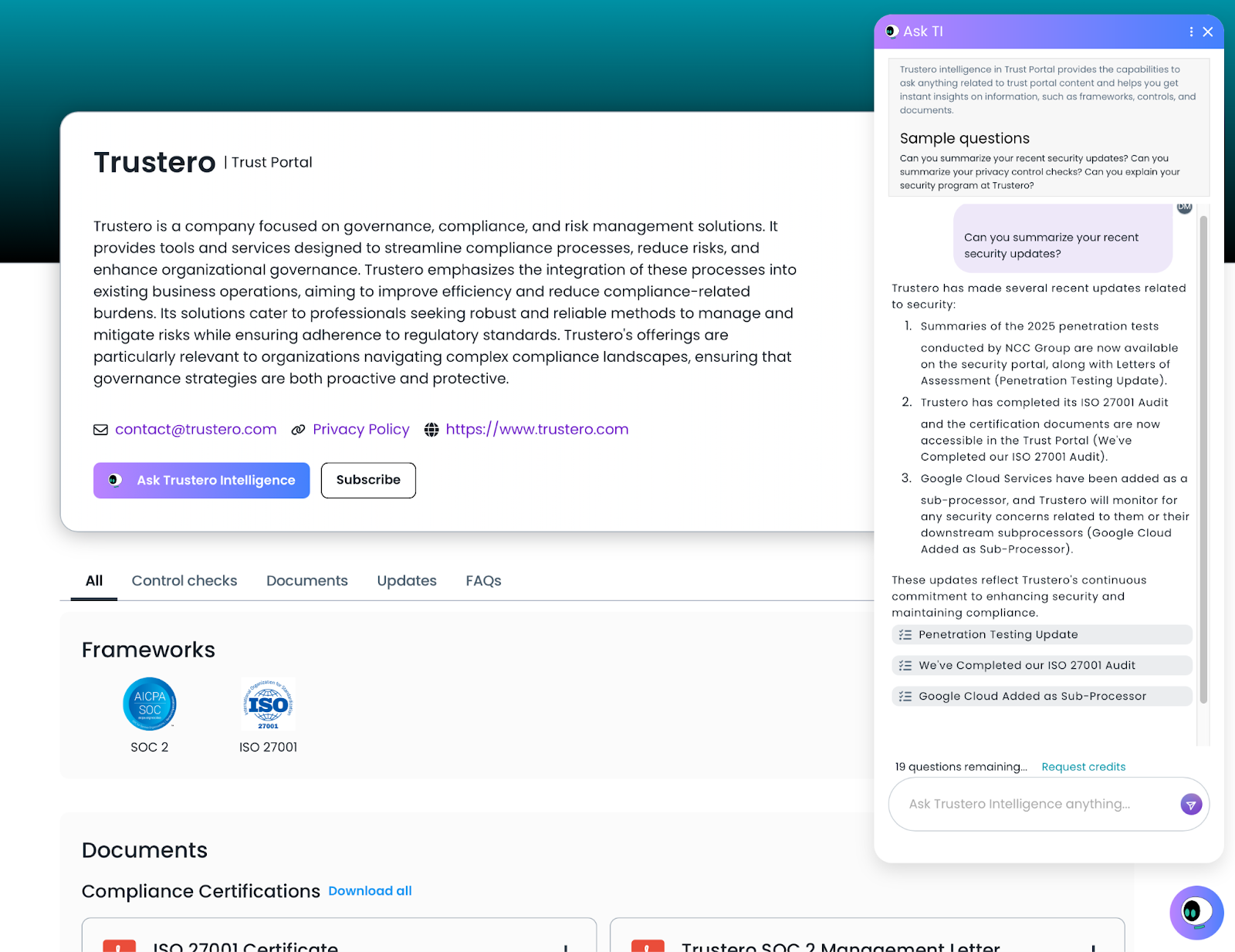
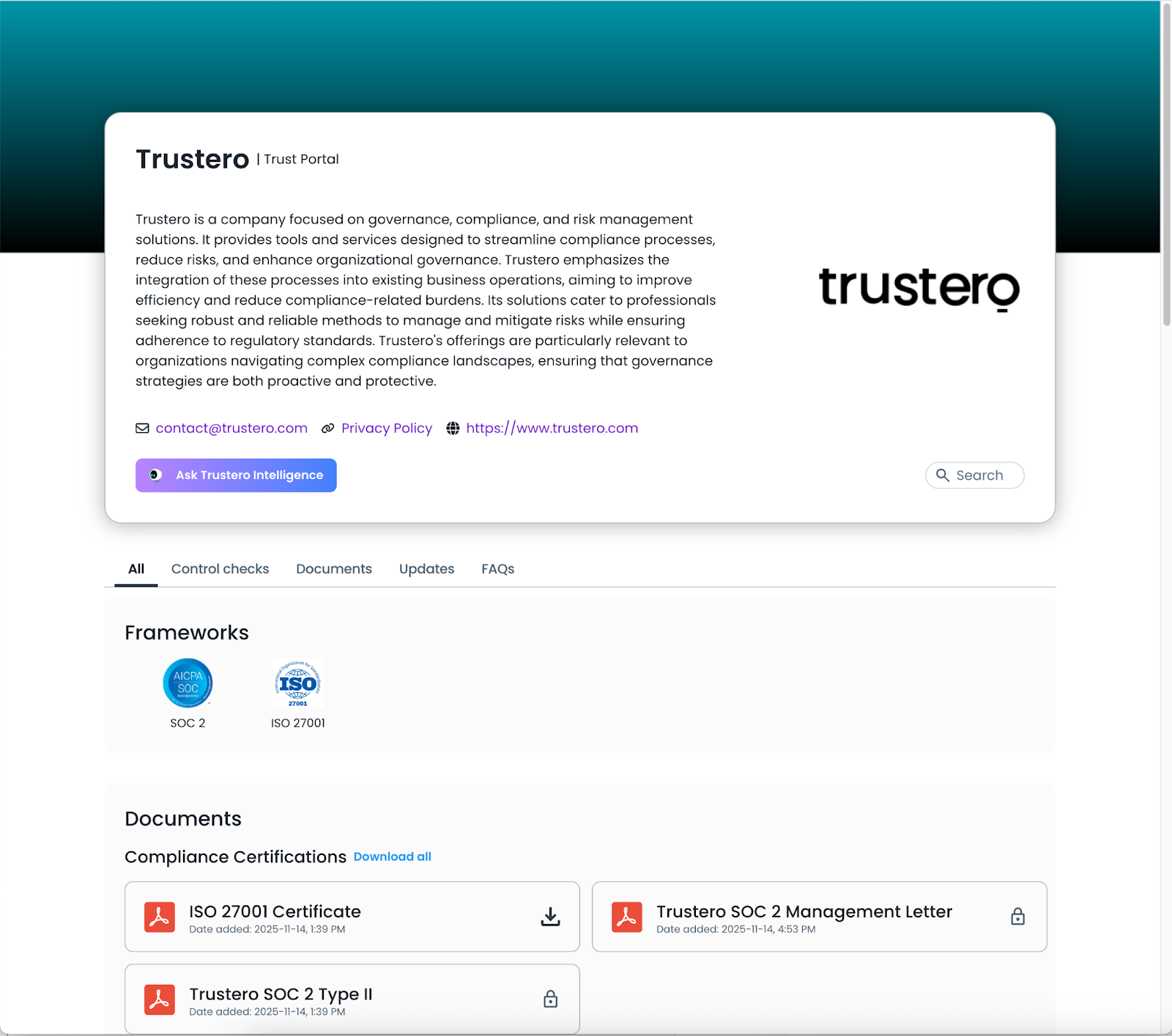
The Trustero Trust Portal gives organizations a secure, centralized way to share compliance artifacts, like attestations and certifications, with third parties. This streamlines external reviews and reduces the tedious work of handling NDAs and ad hoc file distribution.
The Trust Portal also lets you share FAQs, security updates, and summaries of the controls being tested in the Trustero platform.
Your Trust Portal visitor site can be customized with your company branding and served from a URL using your own domain (e.g. https://trust.mycompany.com).
Note: The Trustero Trust Portal is a separate feature that must be enabled in your account. Contact your Trustero sales representative for details on enabling this feature.
What’s New
- Trust Portal User Roles: There are two new built-in user roles specific to Trust Portal that give limited access to the Trustero Account. Account Admins also have access to both of the Trust Portal management pages.
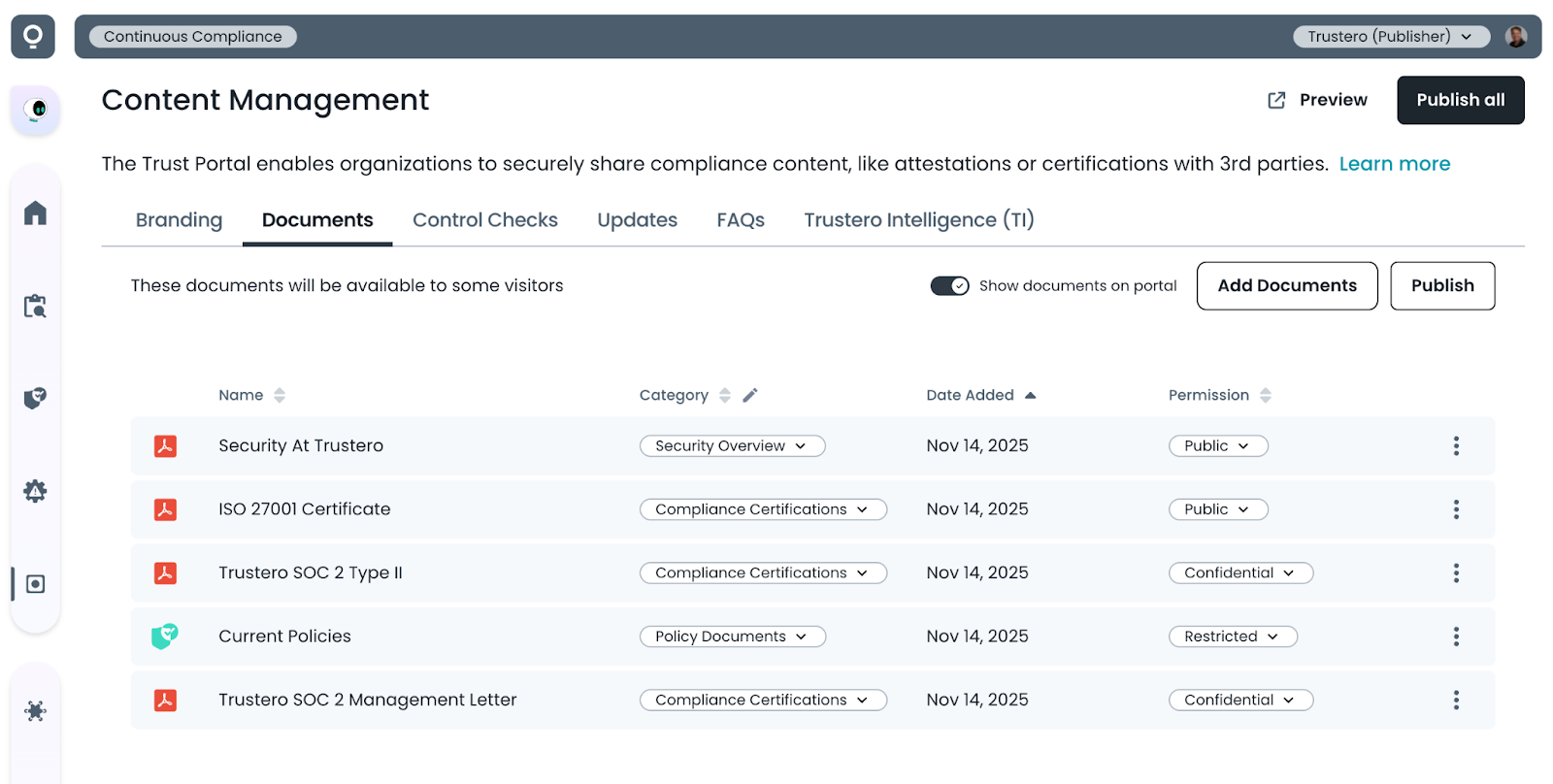
- Trust Portal Publisher: This role has access to both the Content Management page for editing and publishing content (documents, FAQs, …), and the Access Management page for approving visitor requests, managing blocked domains, and viewing visitor analytics.
- Trust Portal Approver: This role can only use the Access Management page.
- Visitor Site Preview & Publish: All Trust Portal content can be viewed in preview mode before it is published to the live visitor site. Individual content tabs can be published when new content is available, or the entire site can be published at once.
- Flexible Visitor Site Branding: Use the Trust Portal content management branding page to tailor the header and layout of your visitor site to your brand and to highlight the compliance frameworks your organization meets. Because most content features are optional, the visitor experience adapts to whichever features you choose to turn on.
- Custom NDA Template: The Trust Portal lets you manage an NDA template that customers sign before they can access restricted documentation. Once signed online, a watermarked copy of the NDA is automatically stored with their account and sent to them by email.
- Document Sharing with Multiple Permission Levels: The Trust Portal allows you to share security documents and attestations with selectable permission levels per document.
- Public: can be downloaded by anyone who visits the site.
- Confidential: can be downloaded only after accepting the non-disclosure agreement. This is self-service and requires no additional approval.
- Restricted: can be downloaded after accepting the confidentiality agreement and after the publisher approves the access request.
- Trustero Intelligence for visitors (optional): The Trust Portal allows you to selectively enable Trustero Intelligence chat functionality for your approved visitors so they can interactively ask questions about your documents and portal content. The default number of questions to grant the visitors can also be configured.
- Access Permissions for Restricted Documents and Trustero Intelligence: If the Trustero Intelligence feature is enabled, visitors will be able to request access to documents, TI or both. In the Access Requests tab, access to the features can be individually approved.
- Request Additional Questions for Trustero Intelligence: If the Trustero Intelligence feature is enabled, visitors who have been granted access to TI, and initially given an allowance of questions, can request additional questions if they run low but want to continue to use the feature. This will come in as an additional access request that can be approved.
- Control Check Summaries (optional): The Trust Portal lets you share summaries of controls you have created within the Trustero platform with your Trust Portal visitors. Control names and descriptions can be customized to remove proprietary information.
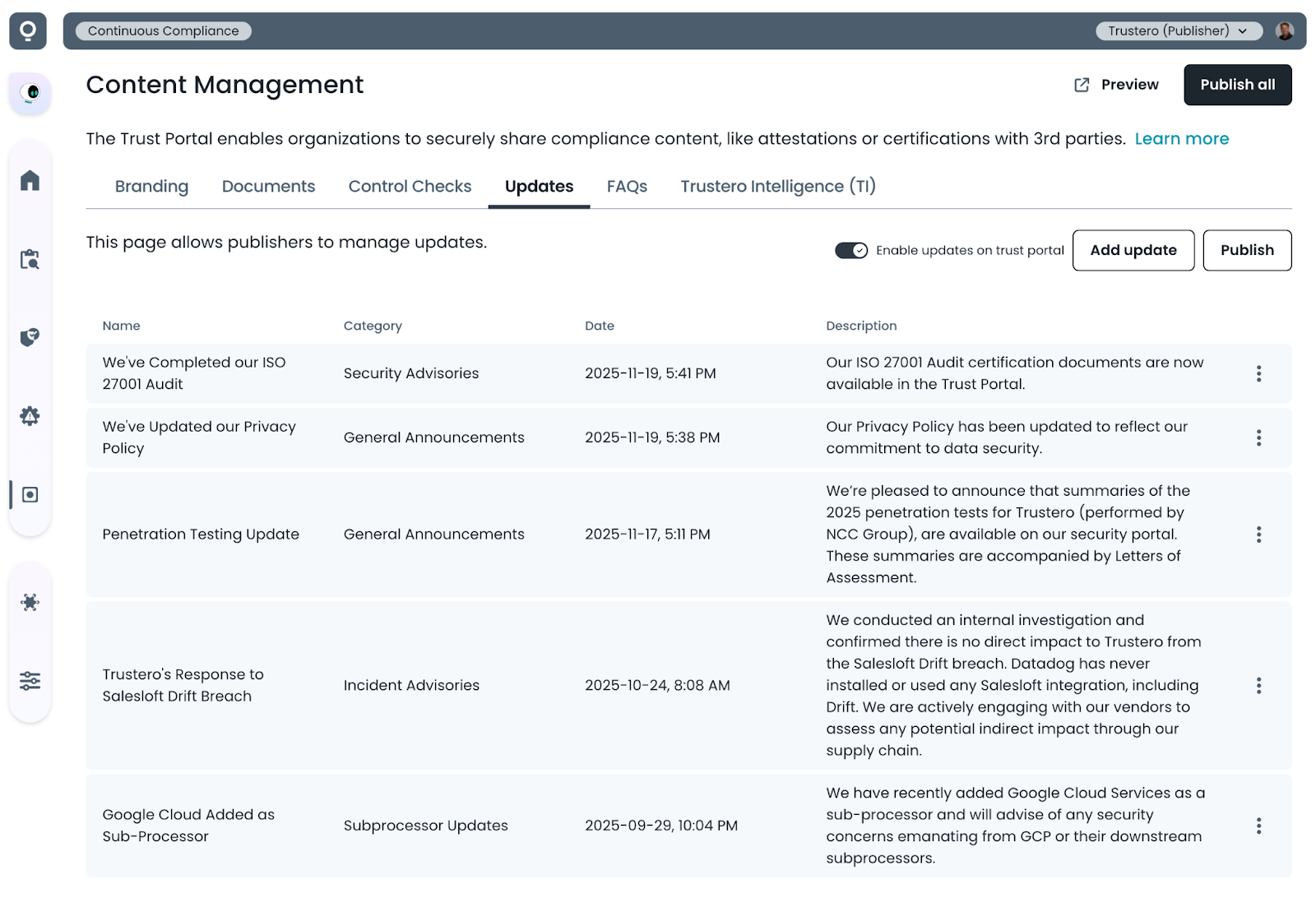
- Security Updates / Email Notifications (optional): The Trust Portal can be used to share updates about your security program (such as new framework attestations, security incident responses or general program information). Your approved visitors can register to receive email notifications when new security updates are posted.
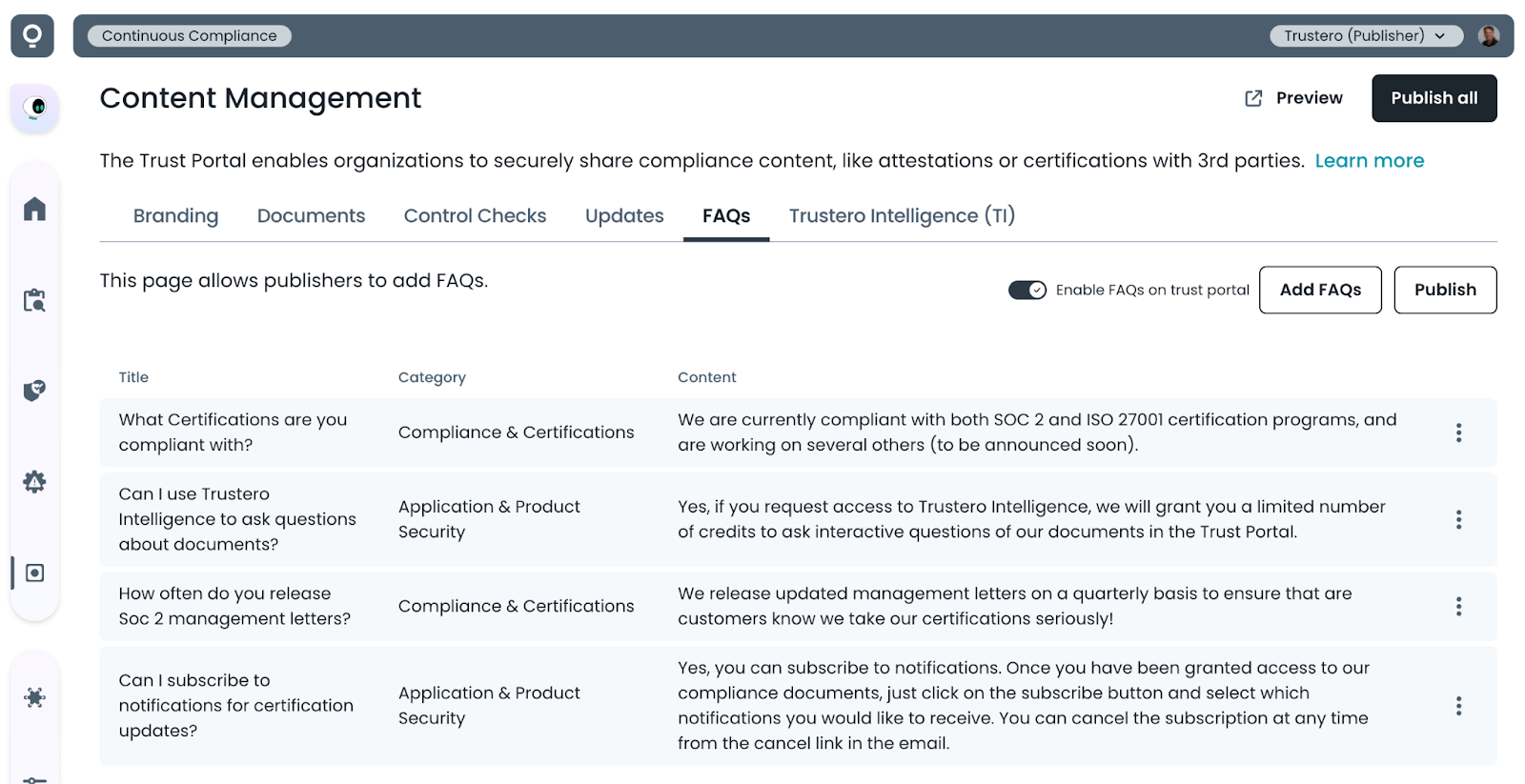
- FAQs (optional): The Trust Portal can be used to provide frequently asked questions about your security program.
- Visitor Content Search: The Trust Portal visitor site includes keyword search functionality for document names, control check summaries, security updates and FAQs.
- Blocked Domain Management: The Trust Portal can be configured to restrict access to particular domains (such as free email domains). The list of restricted domains can be managed in the Access Requests tab.
- Automatic Access Expiration: The Trust Portal can be configured to automatically revoke access grants after a configurable number of days. This can be valuable for ensuring visitors need to re-request access to access newer documents. Note that access expiration does not unsubscribe users from notification update emails.
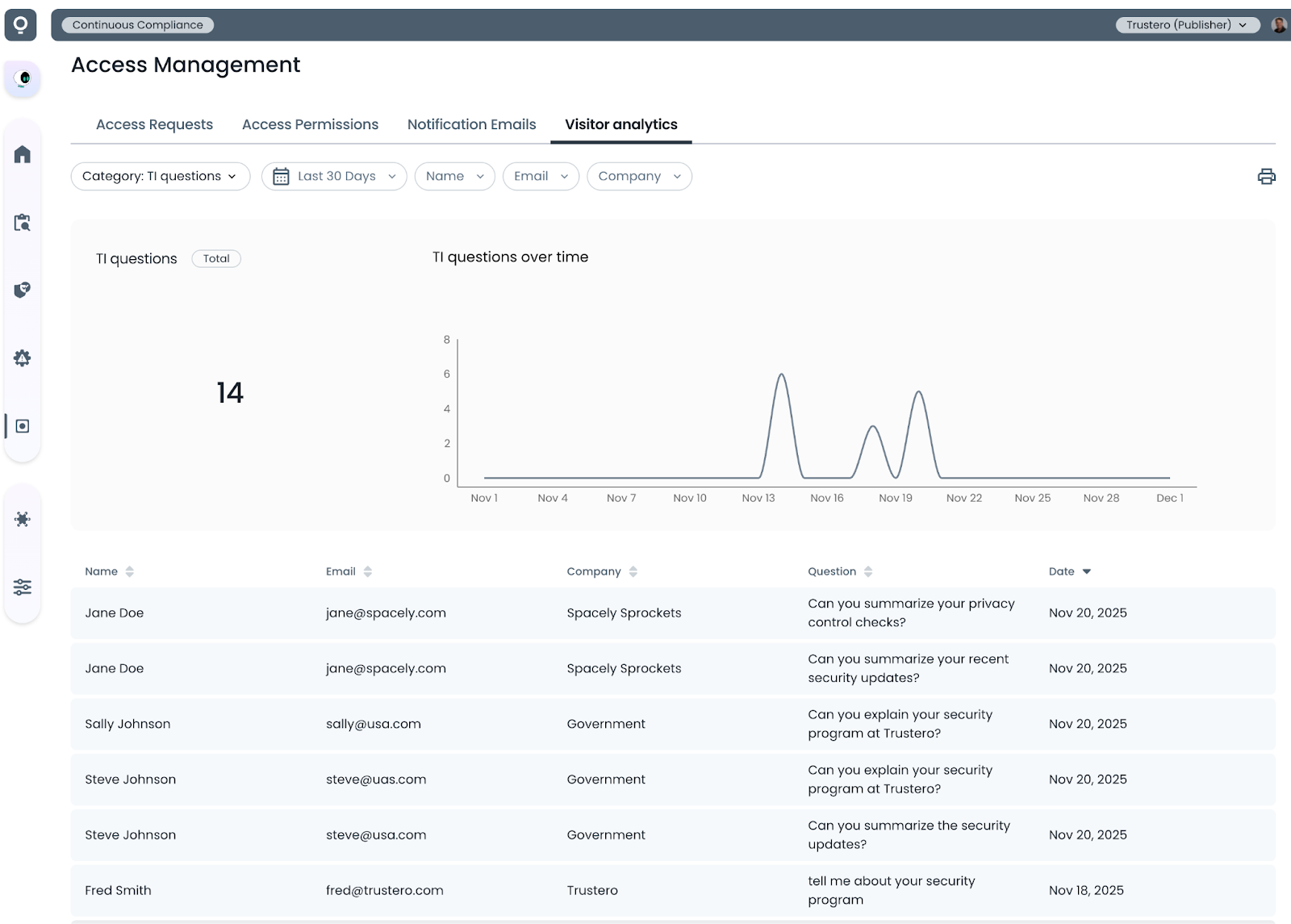
- Visitor Analytics: The Trust Portal visitor site tracks various events that can be viewed in the Visitor Analytics tab. Daily summary counts for each event type are tracked, as well as details for the event during the time period.
- Access requests - How many visitors requested access to documents
- Granted requests - How many visitors were granted access
- Documents downloaded - How many documents were downloaded, which documents were downloaded
- FAQs clicked - How often were FAQs viewed and which FAQs were expanded
- Searches - How often were searches performed, and what was searched for
- TI chats - How often was the TI chat feature accessed
- TI questions - How many questions were asked, and what was the text of the question
- Subscribed to updates - How many people subscribed to updates
- Unsubscribed from updates - How many people unsubscribed from updates
Details


Try It Today
The Trustero Trust Portal is a separate feature of the Trustero platform that must be enabled in your account. Contact your Trustero sales representative for details on enabling this feature.