
Confluence Document Management Receptor
2026-01-29
This release introduces a new Document Management Receptor for linking manual evidence and policy documents from Confluence, similar to how evidence and policies can be linked from SharePoint and Google Drive.
Enabling the Confluence Document Management Receptor
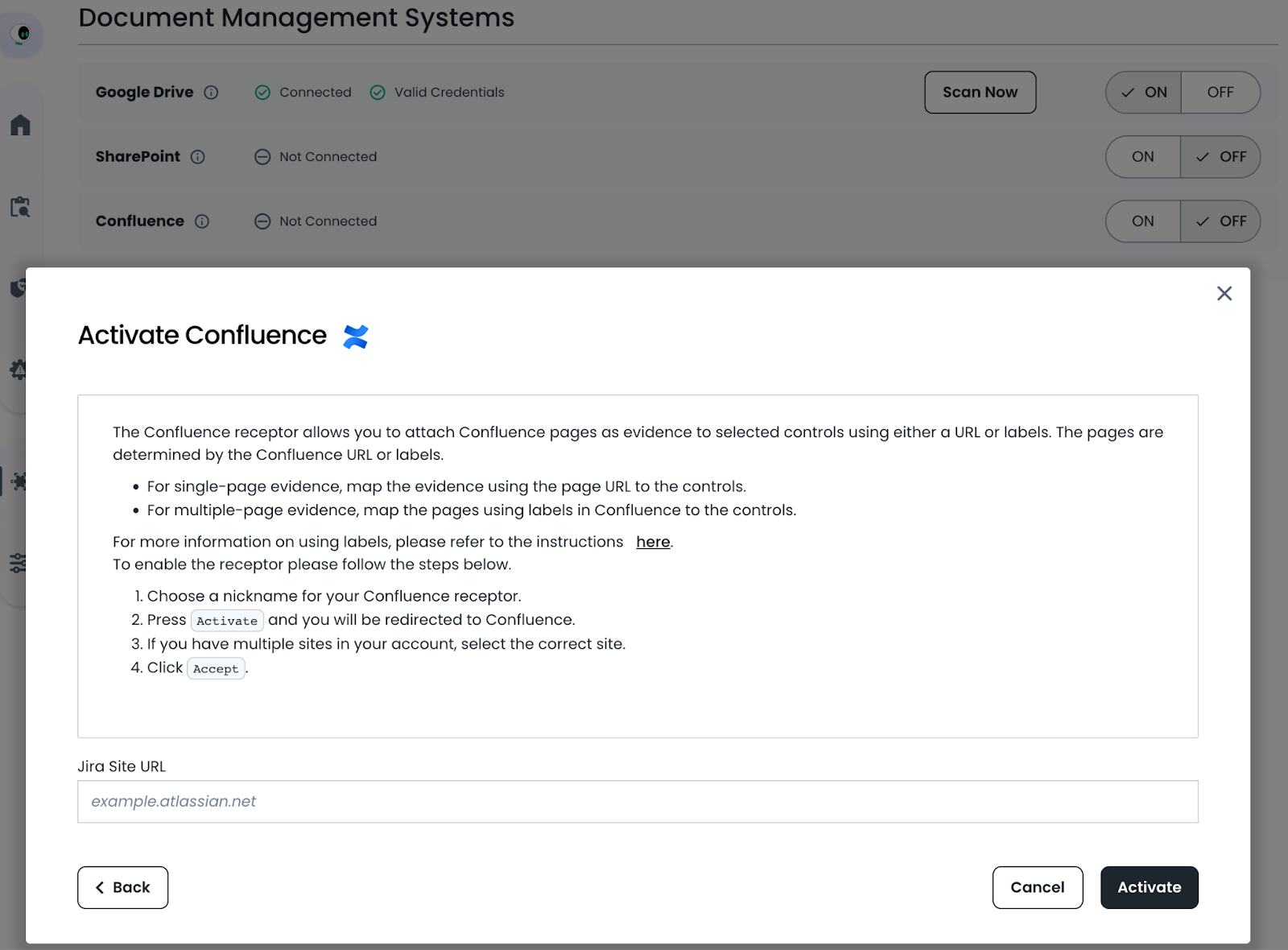
Navigate to the Integrations / Document Management page and enable the toggle switch next to the Confluence receptor.
Enter the URL for your atlassian site (e.g. example.atlassian.net) and click next. We will use OAUTH to connect to your atlassian site with your current access permissions.
Navigate to Integrations / Document Management
Importing Evidence / Policy Docs from Confluence
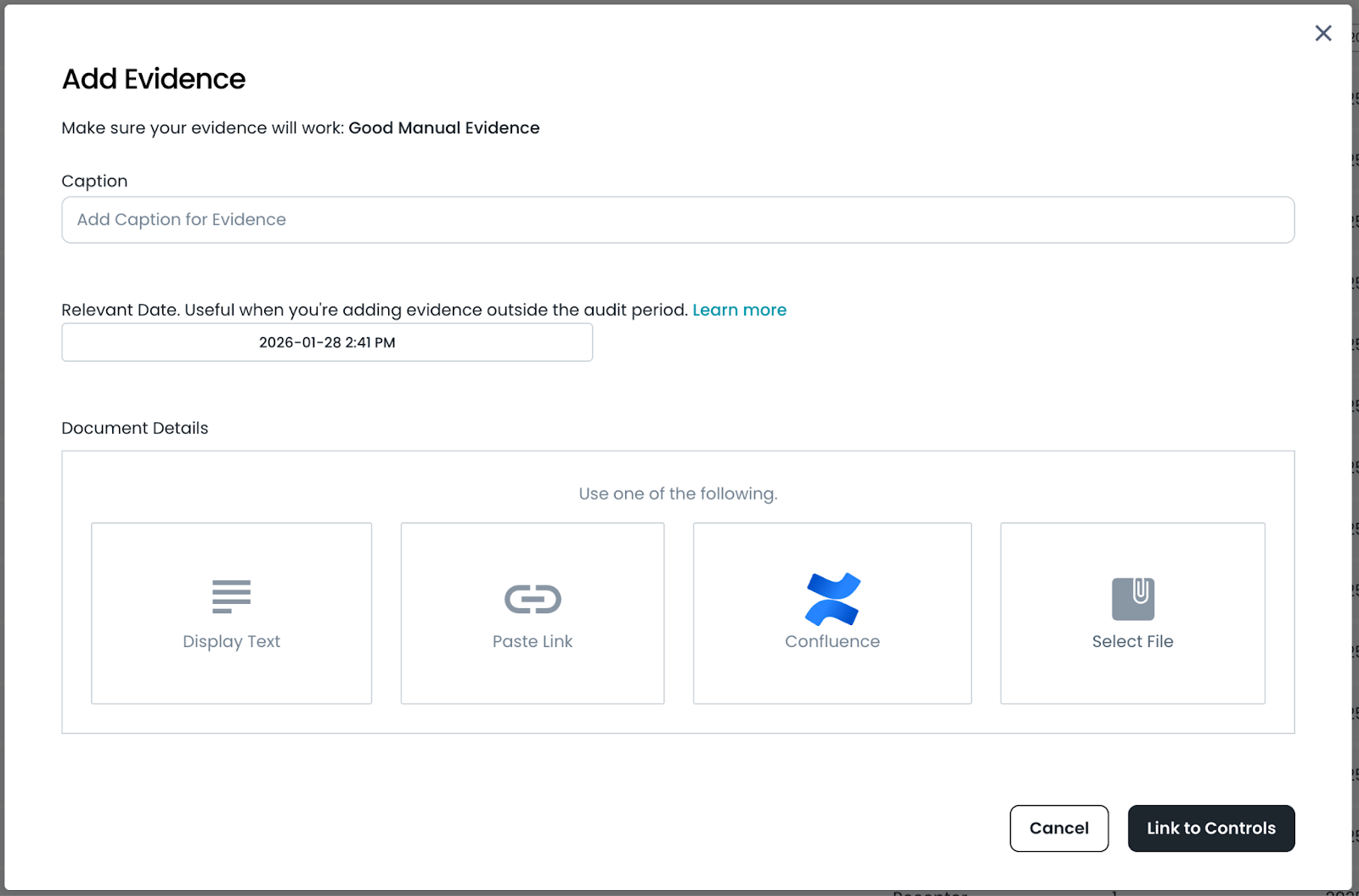
Once the Confluence Document Management receptor is enabled, you’ll have the option to link evidence directly from Confluence whenever you add evidence to Trustero. This same option is also available when adding policy documentation.
When a document is linked, Trustero creates a copy so it can be analyzed by Trustero AI. After the initial import, Trustero automatically checks the document for changes each time the Confluence DMS receptor runs. Any updates detected in Confluence are imported and reflected in Trustero. By default, the receptor runs weekly, but you can increase the sync frequency by configuring an additional schedule.
Import Evidence from Confluence
Confluence File Picker
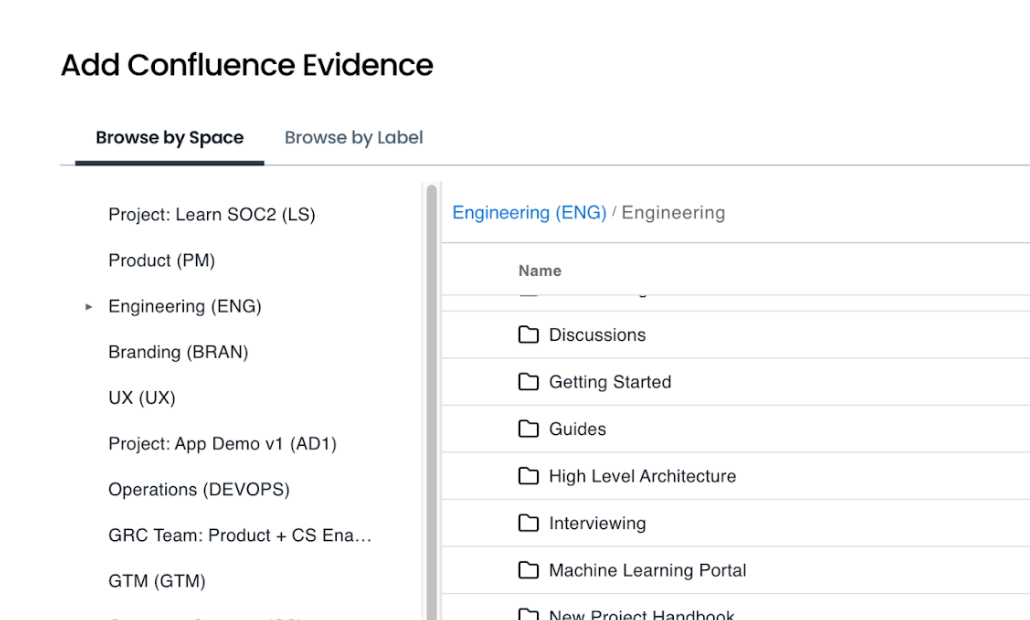
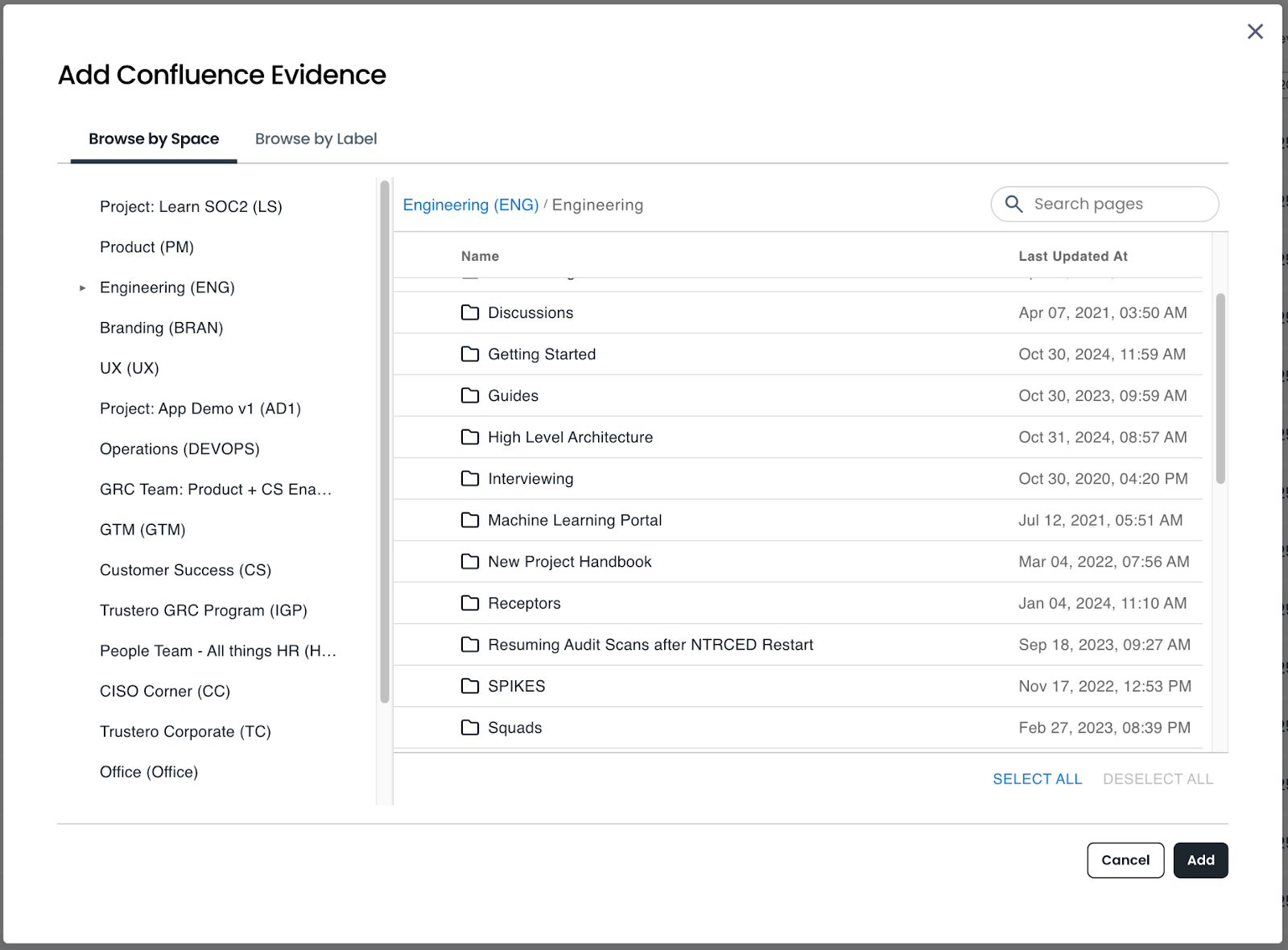
Once you’ve selected Confluence as the source of your evidence, you will see the Confluence file picker which will let you browse by space, or browse by page label.
In either case, you will see the pages and sub-folders that are available in the right hand panel. Clicking on a sub-folder will navigate to that folder, and the breadcrumb list at the top lets you navigate up to higher levels.
Select one or more pages from the folder and click the Add button to import them as evidence or policy documents in Trustero.
Confluence File Picker
Viewing Confluence Evidence
Once evidence has been collected from Confluence, you can find it on the Evidence Index page, or under the Control → Evidence tab if it has been connected to a control.
The Relevant Date for the evidence is automatically set to the Last Modified date imported from Confluence.
Each time the Confluence receptor runs, Trustero checks for newer versions of the page. When changes are detected, a new version is imported with an updated modified date. Previous versions are retained and stacked beneath the latest version, and can be viewed by selecting the desired version.
You can also click the circular “refresh” icon on evidence to re-sync and check for evidence changes.
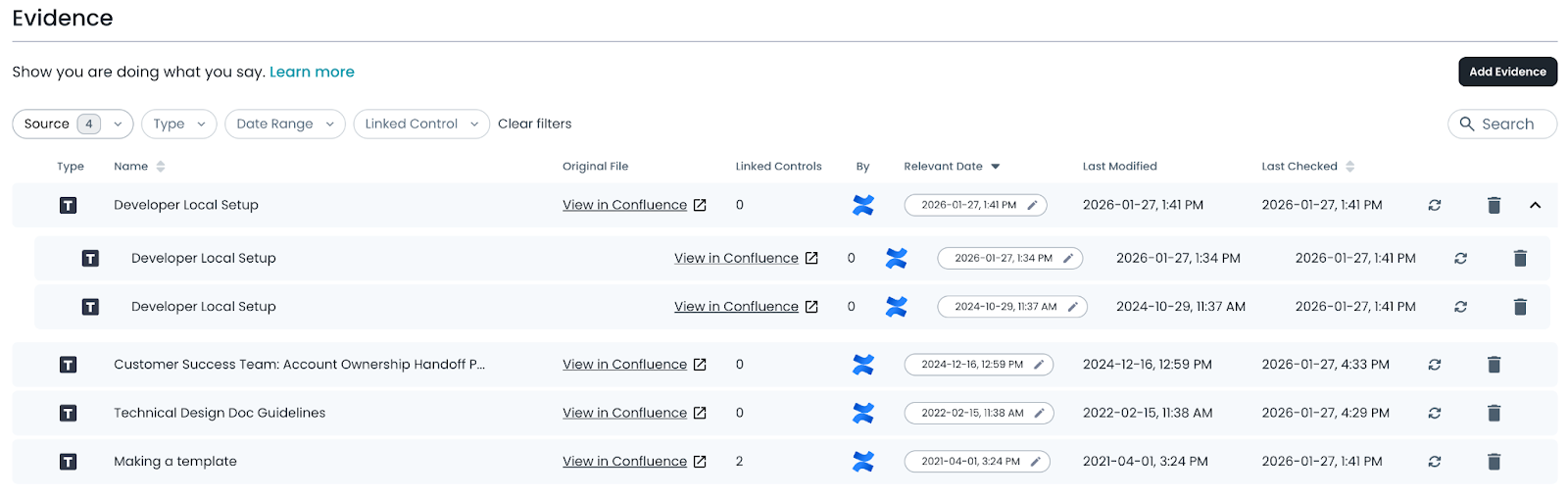
Confluence Evidence
Try it Today
The new Confluence Document Management Receptor feature is available today. Log into your Trustero account to explore the capabilities of multi-agent AI for GRC.