

Control Management Enhancements
Control List Page Consolidation
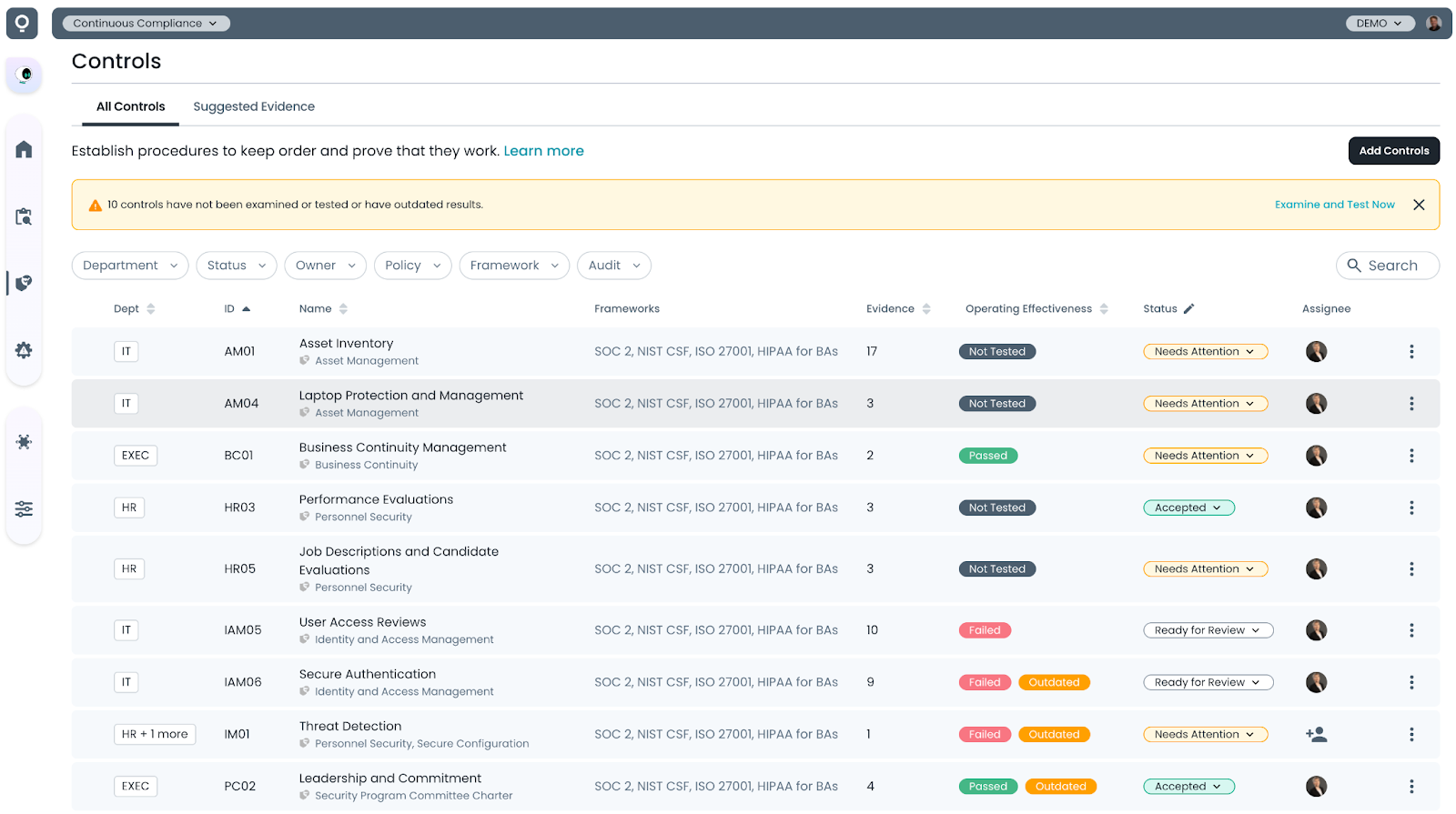
This release introduces improvements to the All Controls list page, consolidating functionality that was previously divided between the Standard and AI Control Checks views.
The updated interface combines features from both pages into a single view, making it easier to review the operational effectiveness status of your controls at a glance.
A new Operational Effectiveness column has been added to the table, using color-coded badges to indicate whether controls have not yet been tested or if their most recent tests have passed or failed.
The column also indicates when results may be outdated, such as when new evidence has been added to a control since the last operational effectiveness test was performed.
Test Procedure Editor Enhancements
This release introduces several enhancements to the Control Test Procedure editor, including a redesigned editing interface, structured test procedure titles, and built-in revision history.
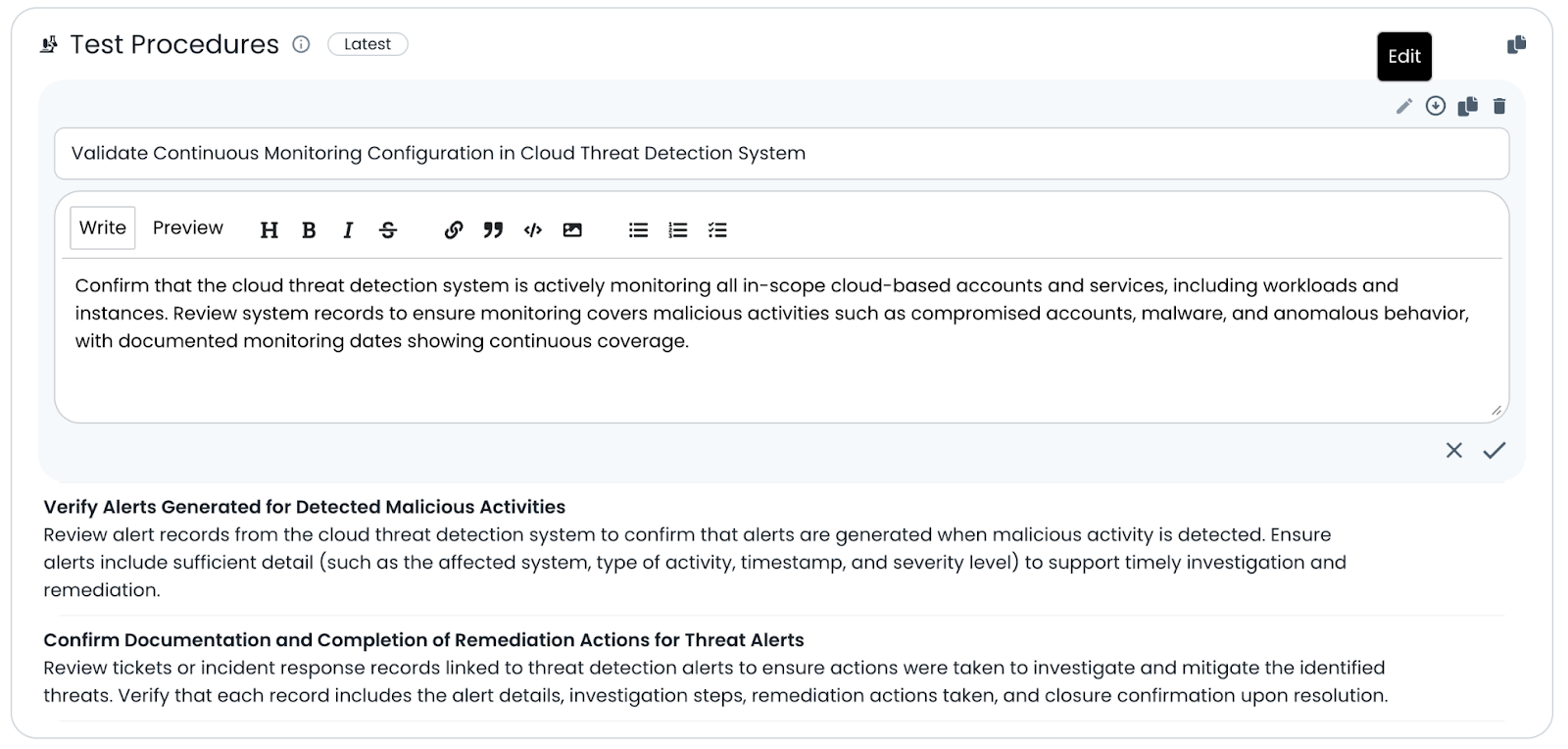
Each test procedure is now separated into its own editable section, allowing procedures to be individually edited, reordered, or removed. The editor also formalizes a title field for each procedure and provides revision tracking with the ability to restore previous versions.
Existing control test procedures have been migrated to the new format. You may want to review your procedures before running your next operational effectiveness check.
Control Test Procedure Editor
To edit an individual test procedure, hover over the procedure and click the Edit button to enable the editor.
Each procedure is now divided into two editable fields:
- Title – A short name describing the purpose of the test
- Body – The detailed procedure used during the operating effectiveness check
While the title is not strictly required for operating effectiveness evaluations, it helps make the results easier to read when examination results are grouped by procedure title.
You can also reorder procedures using the move controls or delete individual procedures as needed.
Test Procedure Revision History
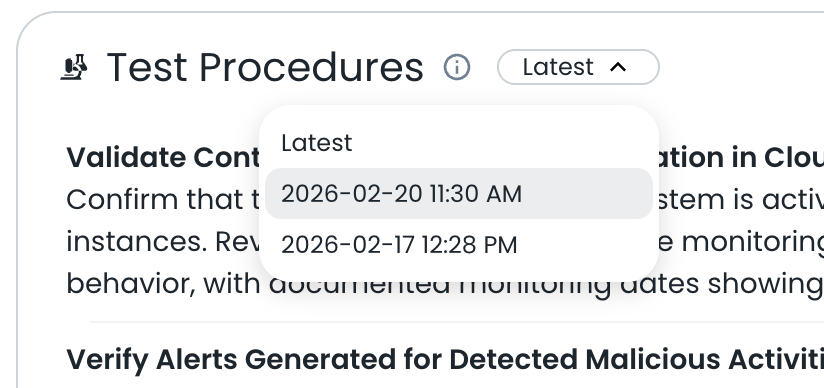
All changes to test procedures are now tracked in the procedure revision history.
A dropdown menu at the top of the procedure indicates whether you are viewing the latest revision or an earlier saved version.
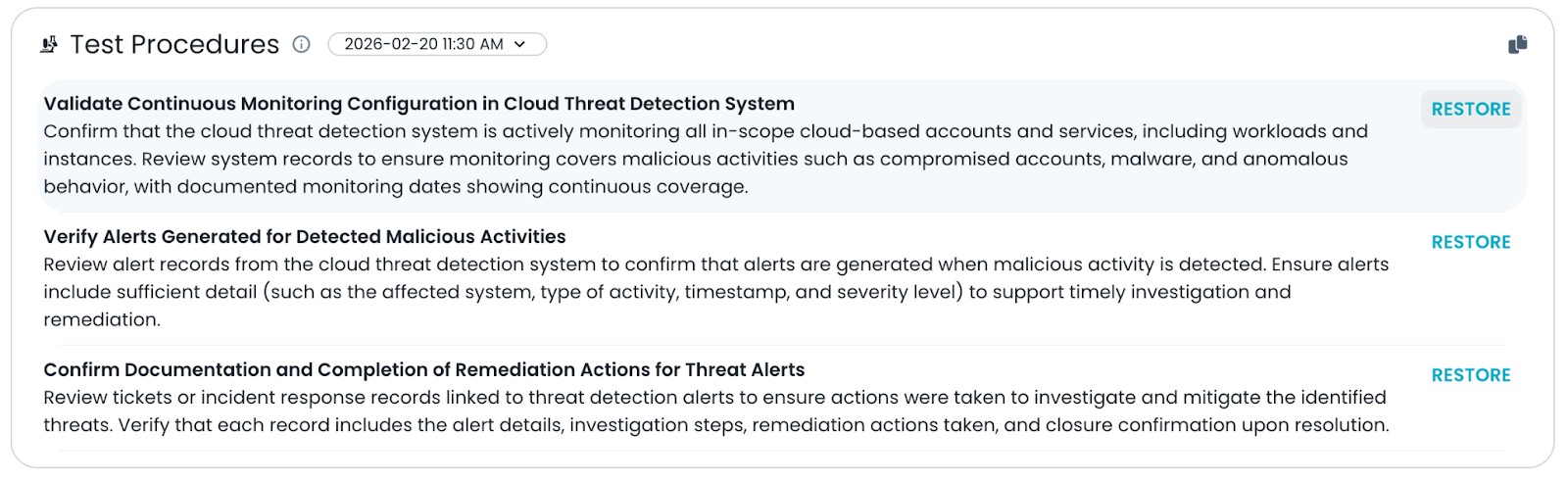
When viewing a previous revision, you can restore one or more procedures from that earlier version.
These enhancements make it easier to manage and maintain control test procedures over time. With structured editing, clearer procedure organization, and built-in revision history, teams can more easily refine their testing methodology while maintaining visibility into how procedures evolve.
Multiple Policies / Control
This release introduces support for assigning multiple policies to a single control and includes those policies in the Control–Policy Material Difference evaluation.
Previously, controls could only be linked to a single policy. With this update, the data model has been expanded to allow multiple policy selections from the Linkages section of the Control detail page.
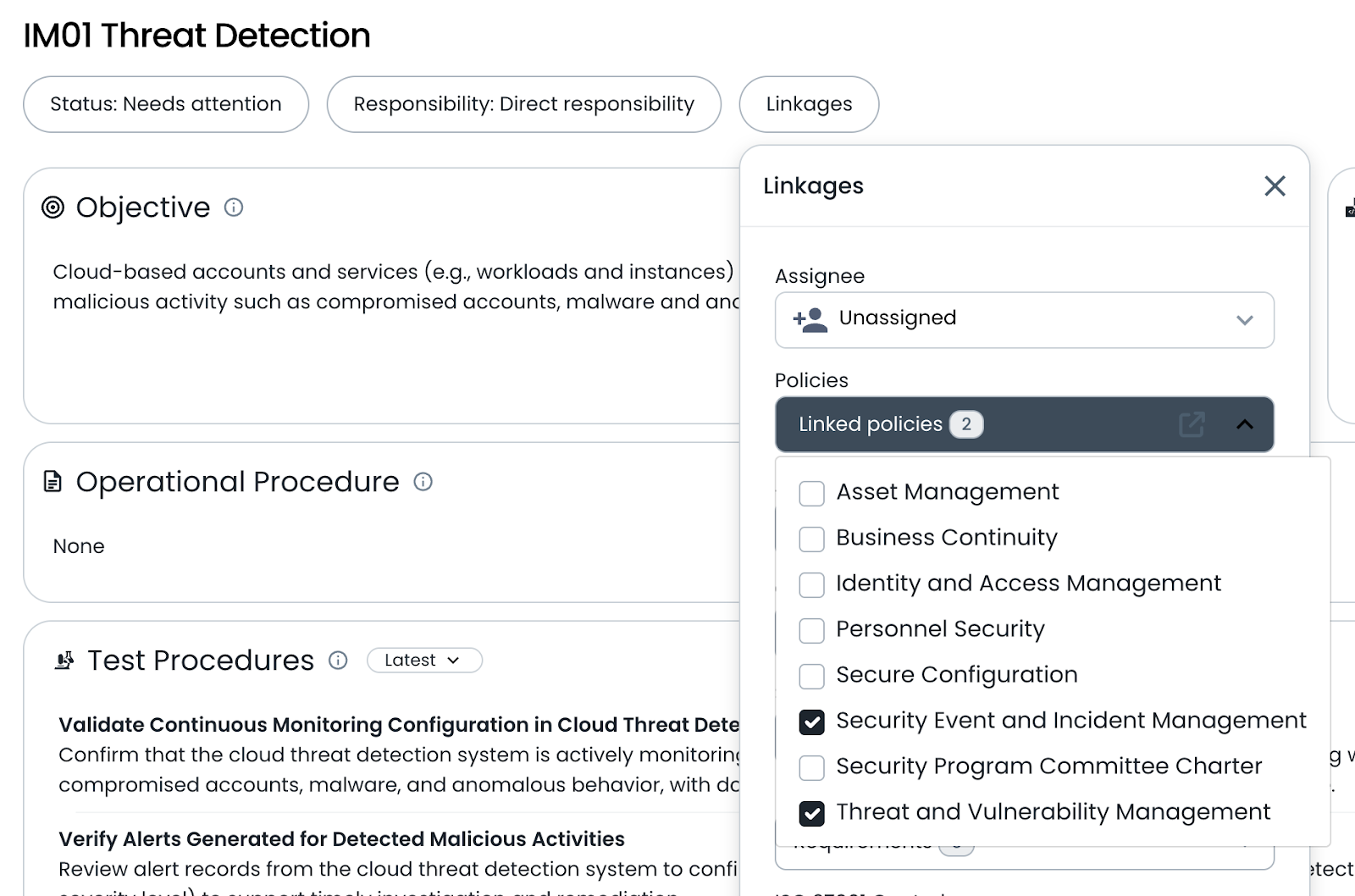
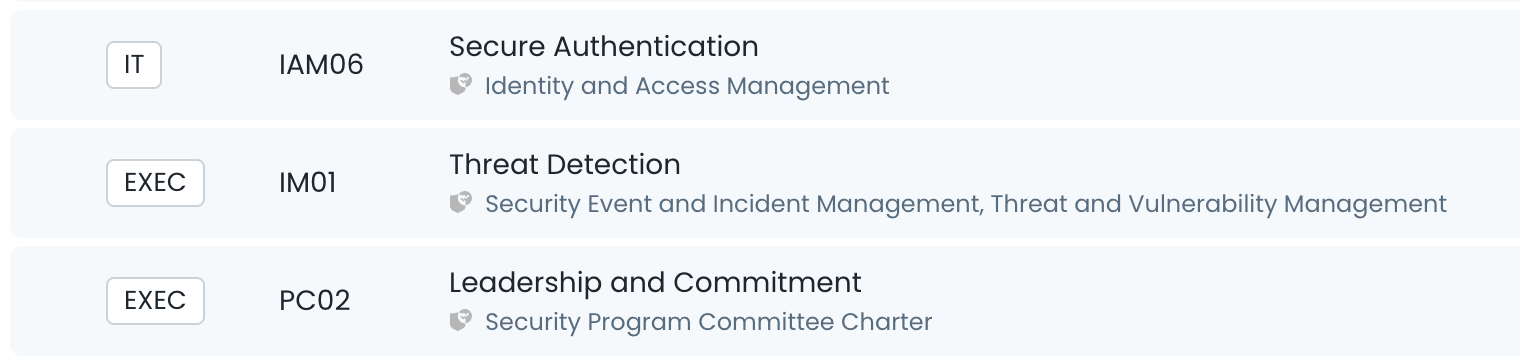
On the Control list page, controls now display a comma-separated list of all linked policies, making it easier to see which policies are associated with each control at a glance.
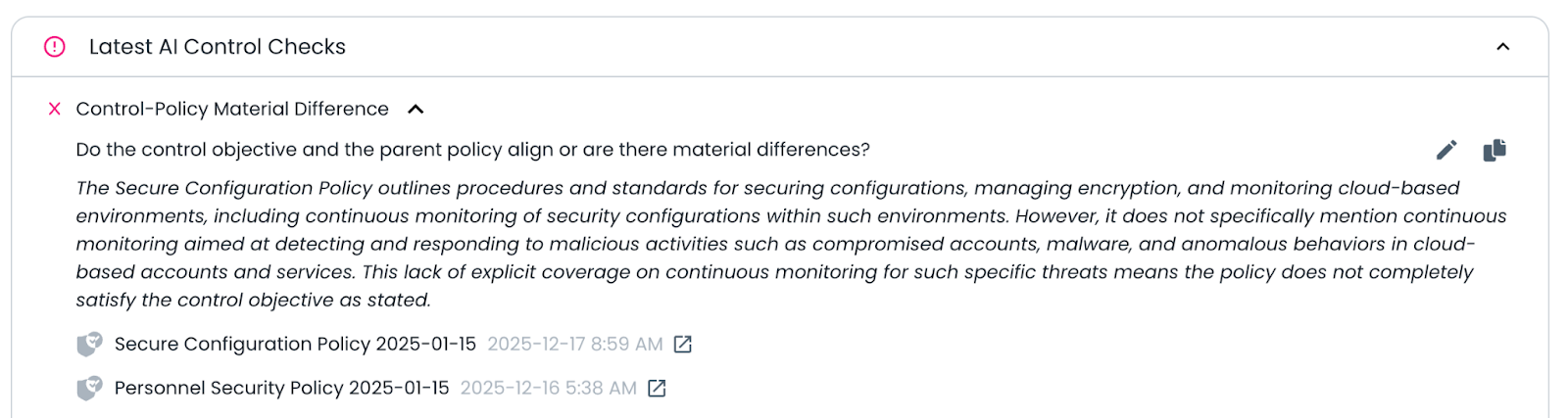
When the Control–Policy Material Difference check is executed, any policies linked to the control will be included in the analysis. If multiple policies are associated with a control, they will all be evaluated as part of the examination.
This enhancement provides greater flexibility when modeling compliance programs where multiple policies support a single control. By allowing controls to reference all relevant policies, the platform can perform more comprehensive policy-to-control evaluations and highlight potential differences more accurately.
Try it Today
The new Trustero consolidated Control List Page is available today. Log into your Trustero account to explore the capabilities of multi-agent GRC.