

Evidence Management: Automated Evidence Improvements
This release introduces several improvements to the configuration and management of automated evidence collection. These updates are designed to make it easier to set up integrations, monitor evidence scans, and review the evidence being collected across your connected systems.
With these enhancements, teams gain clearer visibility into how automated evidence is collected and how integrations are operating within the platform.
Improved Automated Evidence Management
We’ve redesigned the automated evidence integration pages to simplify how evidence collection is configured and managed.
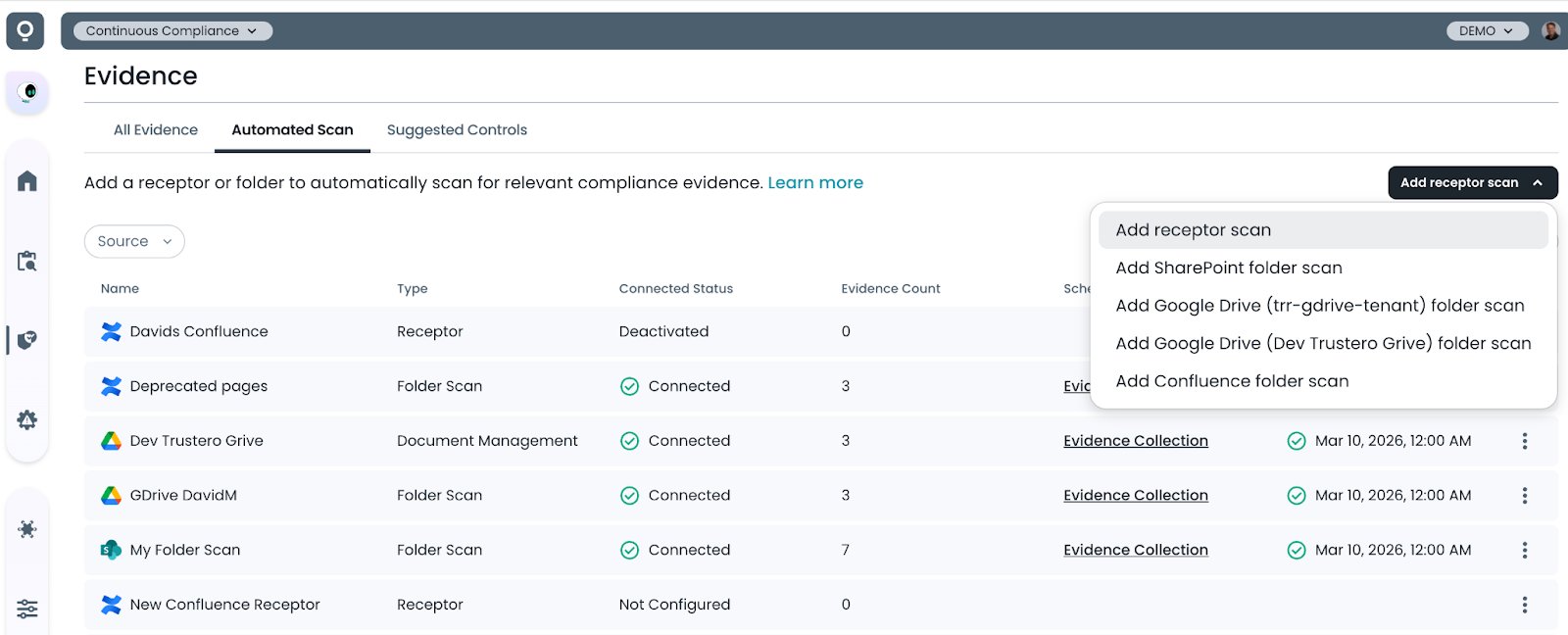
You can now view and manage automated evidence scans directly from the Evidence page under the Automated Scans tab.
This information is also accessible from the top-level Integrations → Receptors menu, providing a centralized location to monitor integration status and manage automated evidence collection.
Consolidated Receptor Creation
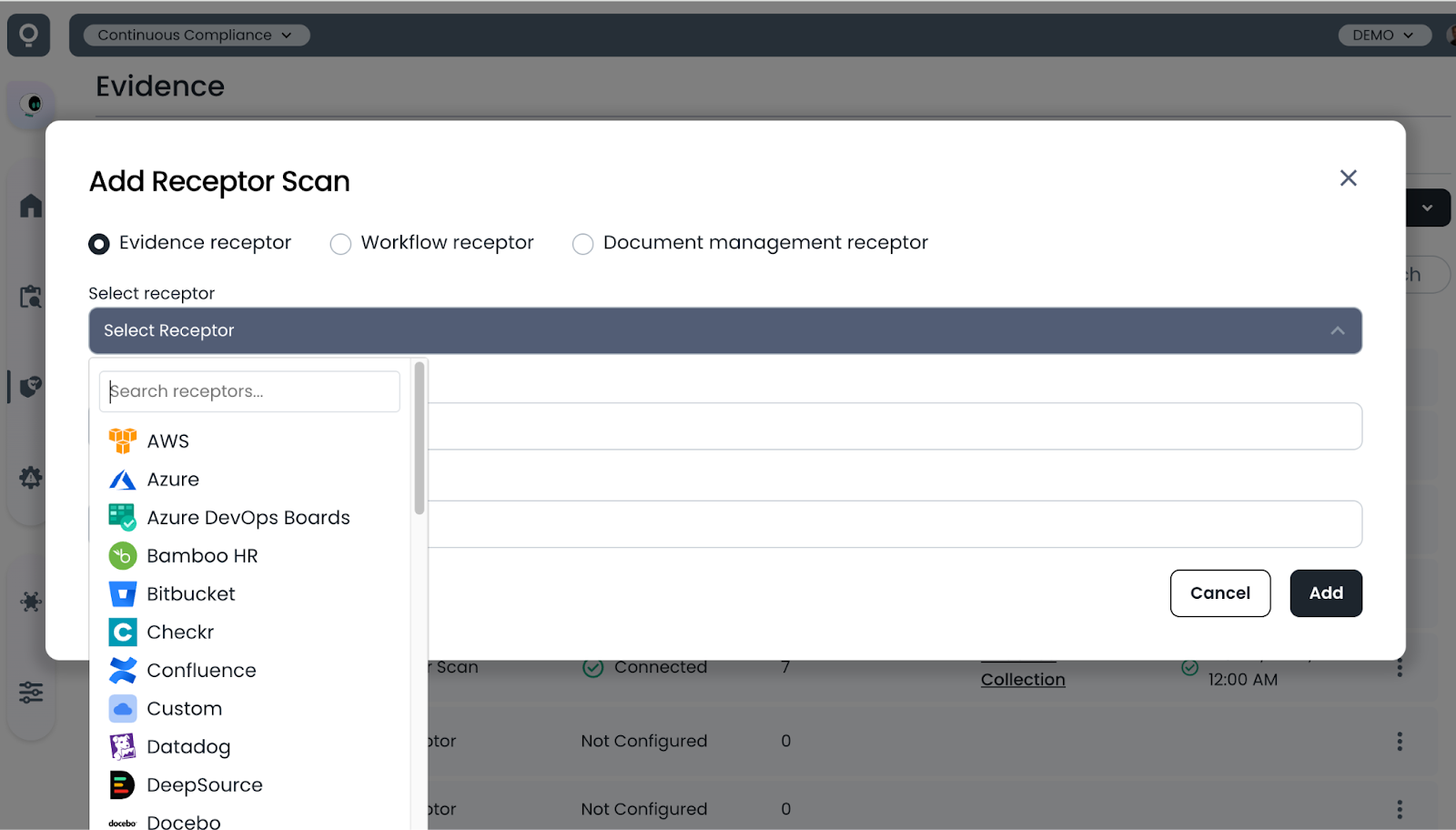
Creating new receptors has been simplified with a single interface for adding receptors of all types. Select “Add Receptor Scan”, choose the receptor type, and provide a name and description.
Receptors can now also be created without configuring credentials during setup. This makes it easier to create a base configuration and share the receptor management page with the team responsible for managing the connection credentials.
Improved Receptor Management Pages
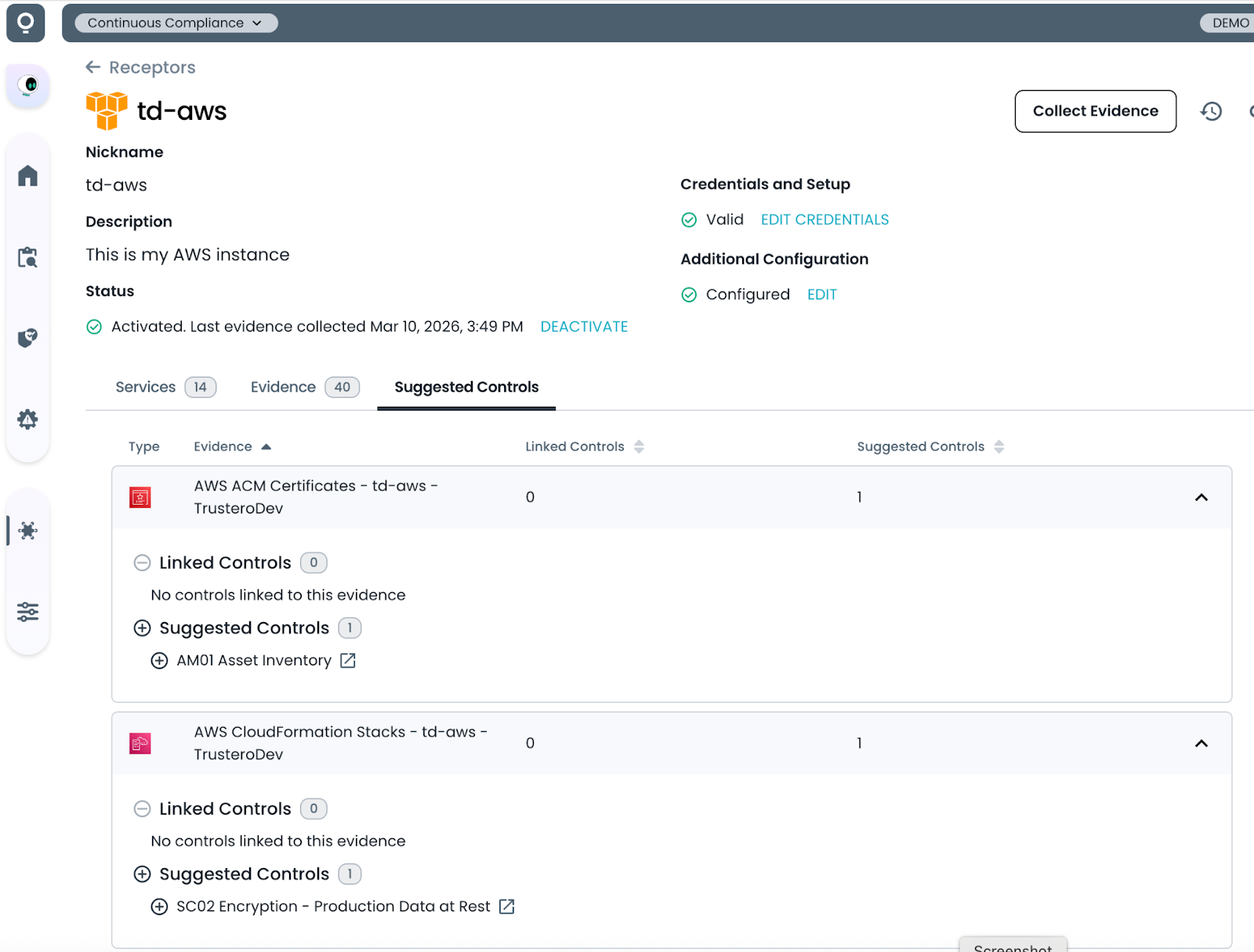
The updated interface provides a clearer view into how integrations are configured and when evidence scans are running. Users can now quickly review the evidence collected by each integration and understand how that evidence flows into the GRC platform.
Updates to the Receptor detail pages make it easier to:
- View which services are enabled for your receptor
- Review evidence associated with each integration
- Understand how incoming evidence connects to controls in your compliance program

AI-powered Evidence to Control Mapping
Once evidence is imported, Trustero automatically analyzes it and suggests relevant control mappings using our AI-powered Evidence-to-Control mapping capability.
Open the Suggested Controls tab to review recommended control matches. With a single click on the plus icon, you can assign the evidence directly to the suggested control.
(Note: We will be covering the new evidence-to-control matching capabilities in more detail in a separate announcement.)
These improvements provide clearer visibility into automated evidence collection and simplify how integrations are configured and monitored. By centralizing scan management and making it easier to review collected evidence, teams can more efficiently maintain the evidence required for their compliance programs.
Try it Today
The new Trustero Evidence Management Improvements feature is available today. Log into your Trustero account to explore the capabilities of multi-agent GRC.