

Trustero Intelligence: Custom Playbooks & Playbook Scheduling
This release introduces custom playbooks for Trustero Intelligence, allowing teams to create reusable AI-driven analyses directly within the chat interface.
Trustero already includes a wide range of built-in playbooks for analyzing risks, controls, policies, and evidence. With this release, you can now create your own custom playbooks using AI prompts tailored to your organization’s workflows.
Custom playbooks can be reused on demand or scheduled to run automatically, enabling teams to build powerful AI-driven analyses that operate continuously across their GRC environment.
Viewing and Running Playbooks
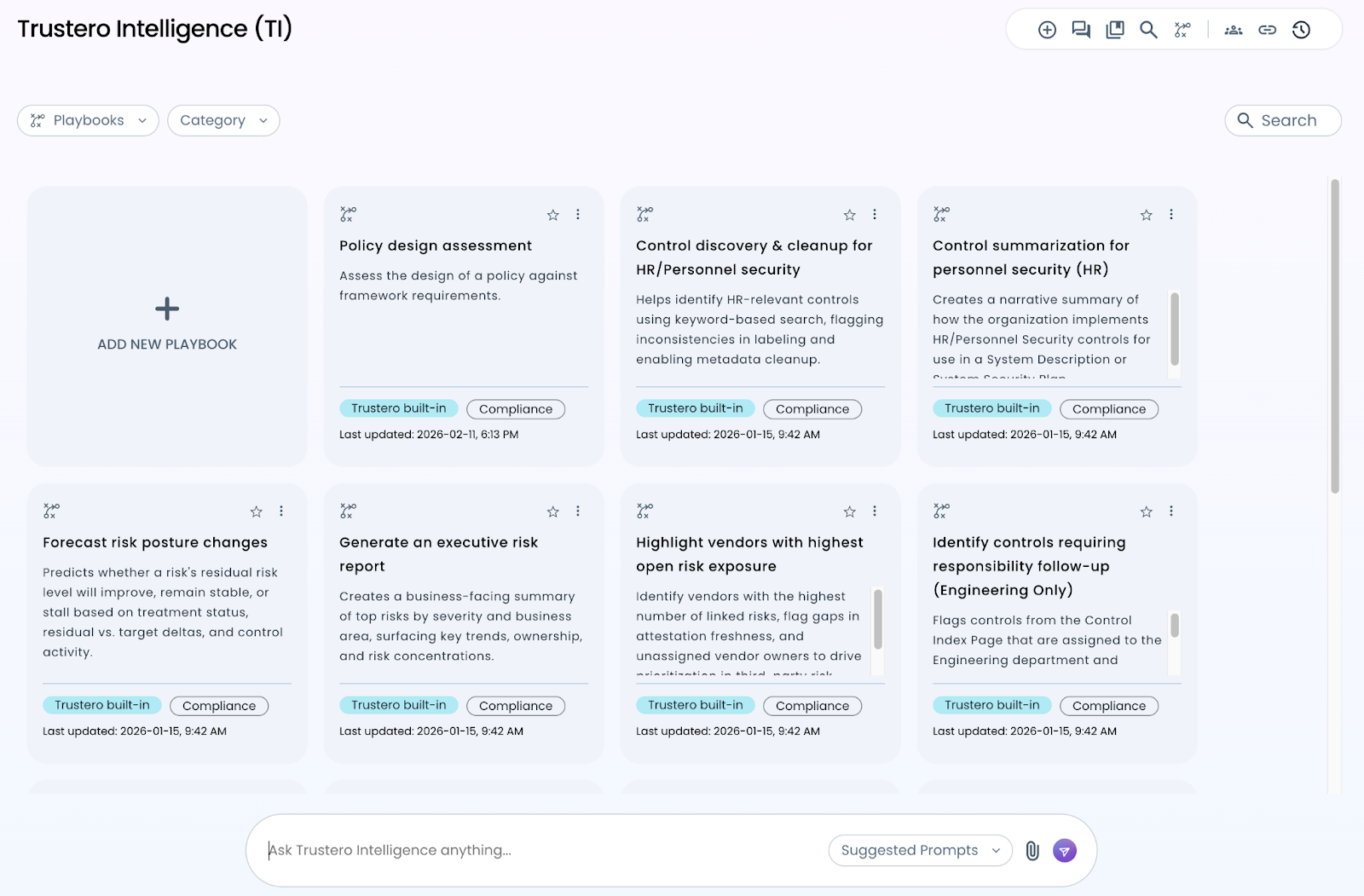
Playbooks are available from the Trustero Intelligence main page. Simply click on a playbook tile to execute it in a new chat session.
Depending on the playbook configuration, you may be prompted to provide additional inputs or confirm parameters before the analysis begins.
Viewing Built-In Playbook Details
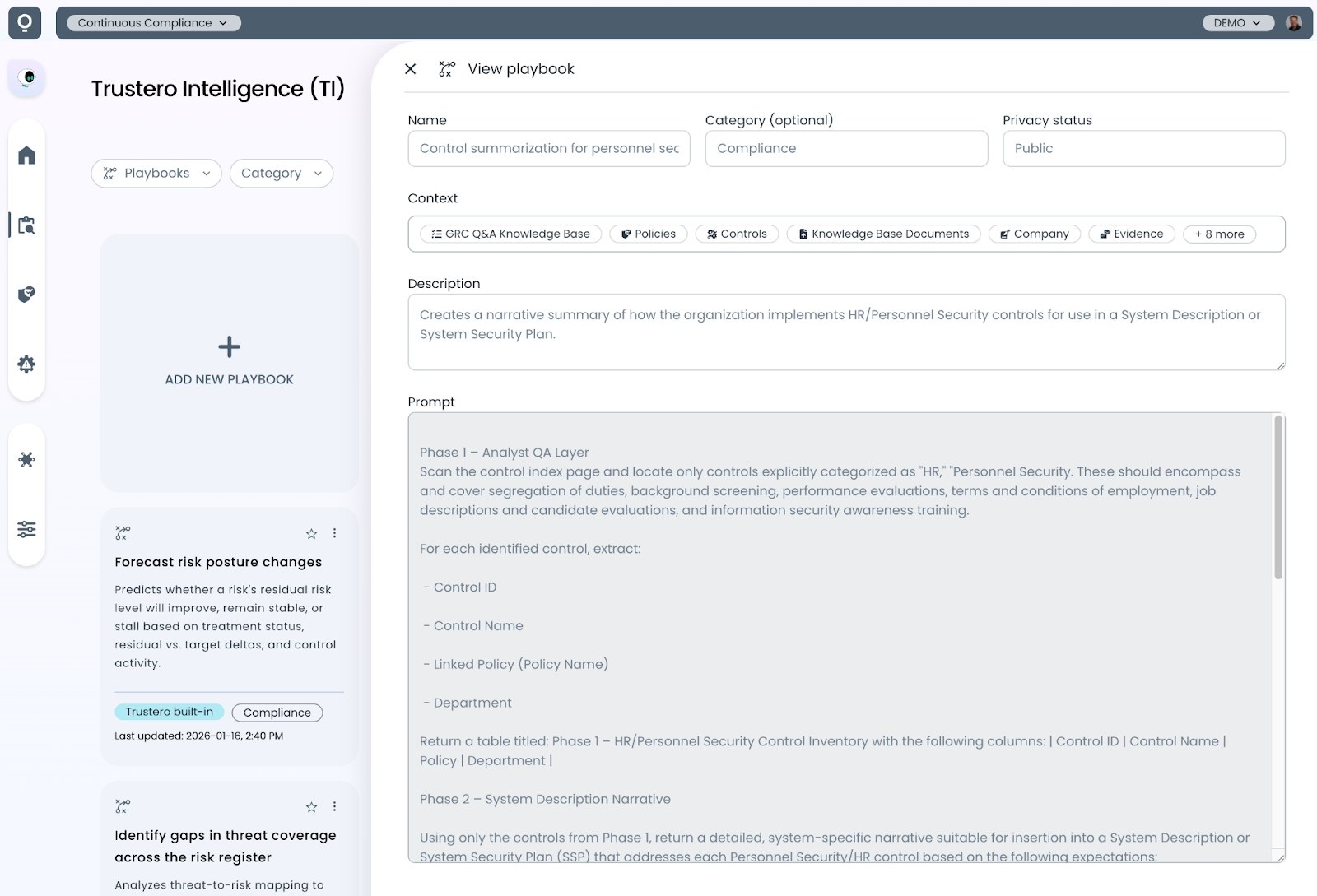
You can view the details of built-in playbooks by clicking the three-dot menu at the top of a playbook tile. This opens a view showing the playbook description as well as the Trustero Intelligence prompt used to perform the analysis and generate the final report.
Reviewing built-in playbook prompts is a helpful way to understand the types of analyses that can be performed with Trustero Intelligence.
Creating Custom Playbooks
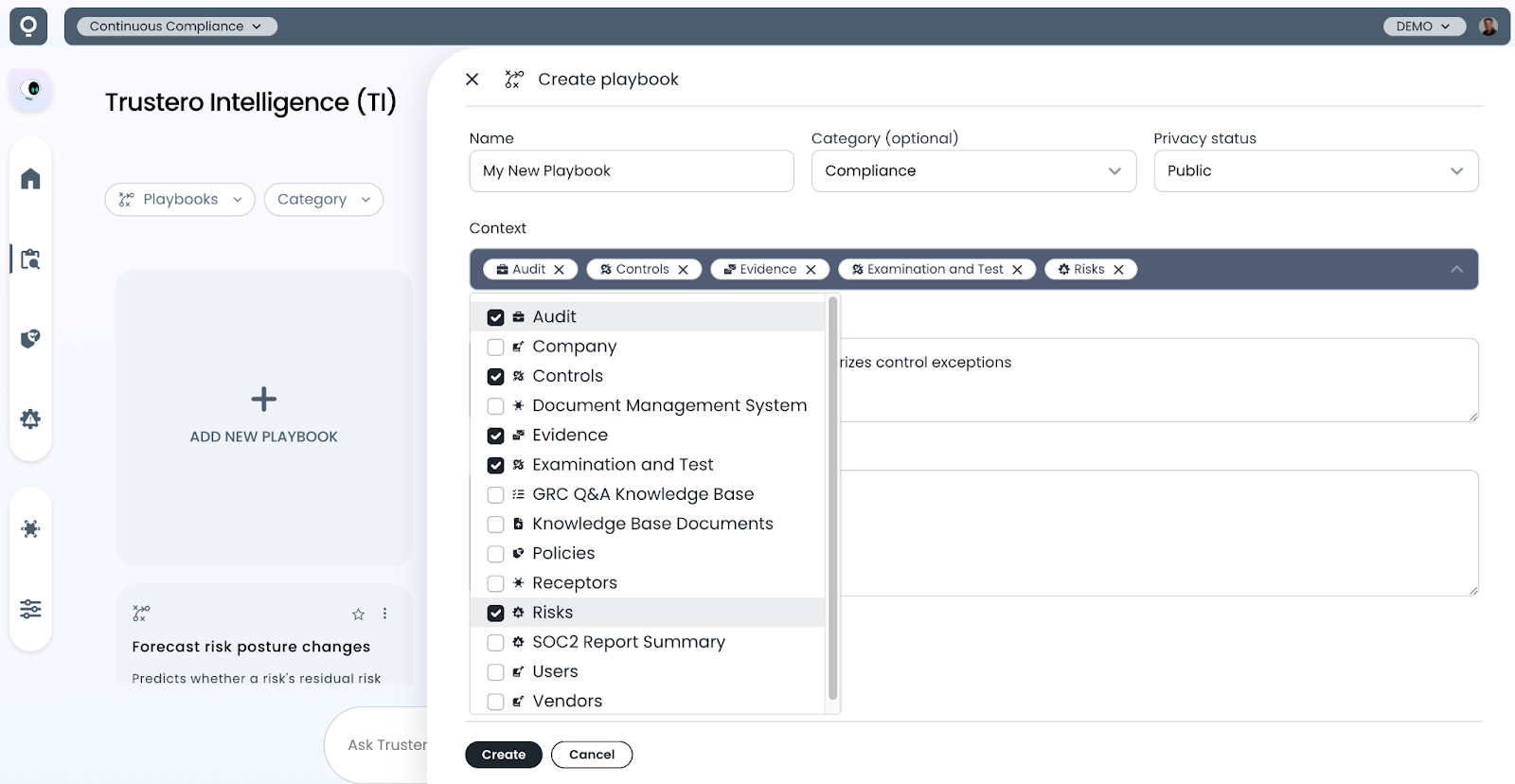
An “Add New Playbook” tile has been added to the top of the page, allowing you to create your own custom playbooks.
When creating a playbook, you define a name and description and choose whether the playbook should be private to your user account or shared across your organization.
You can also define the information context the playbook should use during execution. In most cases, the default setting (all project information) works well, but narrowing the context to specific areas—such as Audits, Controls, Evidence, or Risks—can improve the relevance and precision of the analysis.
Playbook Input Parameters
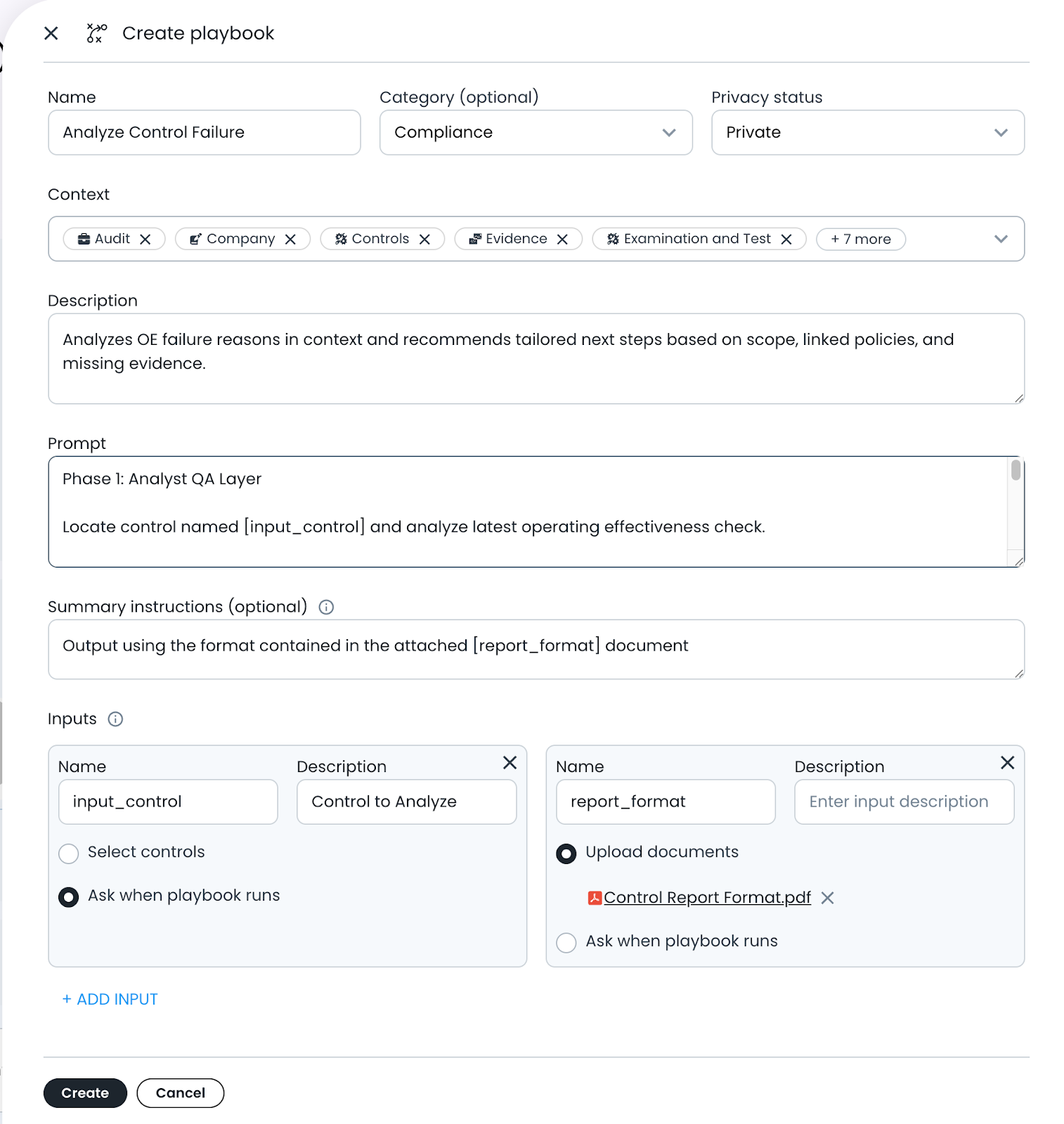
Custom playbooks can optionally define input parameters that are required for the AI prompt evaluation.
For example, a playbook might analyze a specific control. In this case, the control could be defined as an input parameter so that users can select which control to analyze when the playbook runs.
If multiple inputs are required, each parameter can be given a reference name that can be used within the playbook prompt.
You can also attach additional documents that the playbook can reference during evaluation. For example, a PDF containing a structured output template could be included to guide how the final report is generated.
Scheduling Playbooks
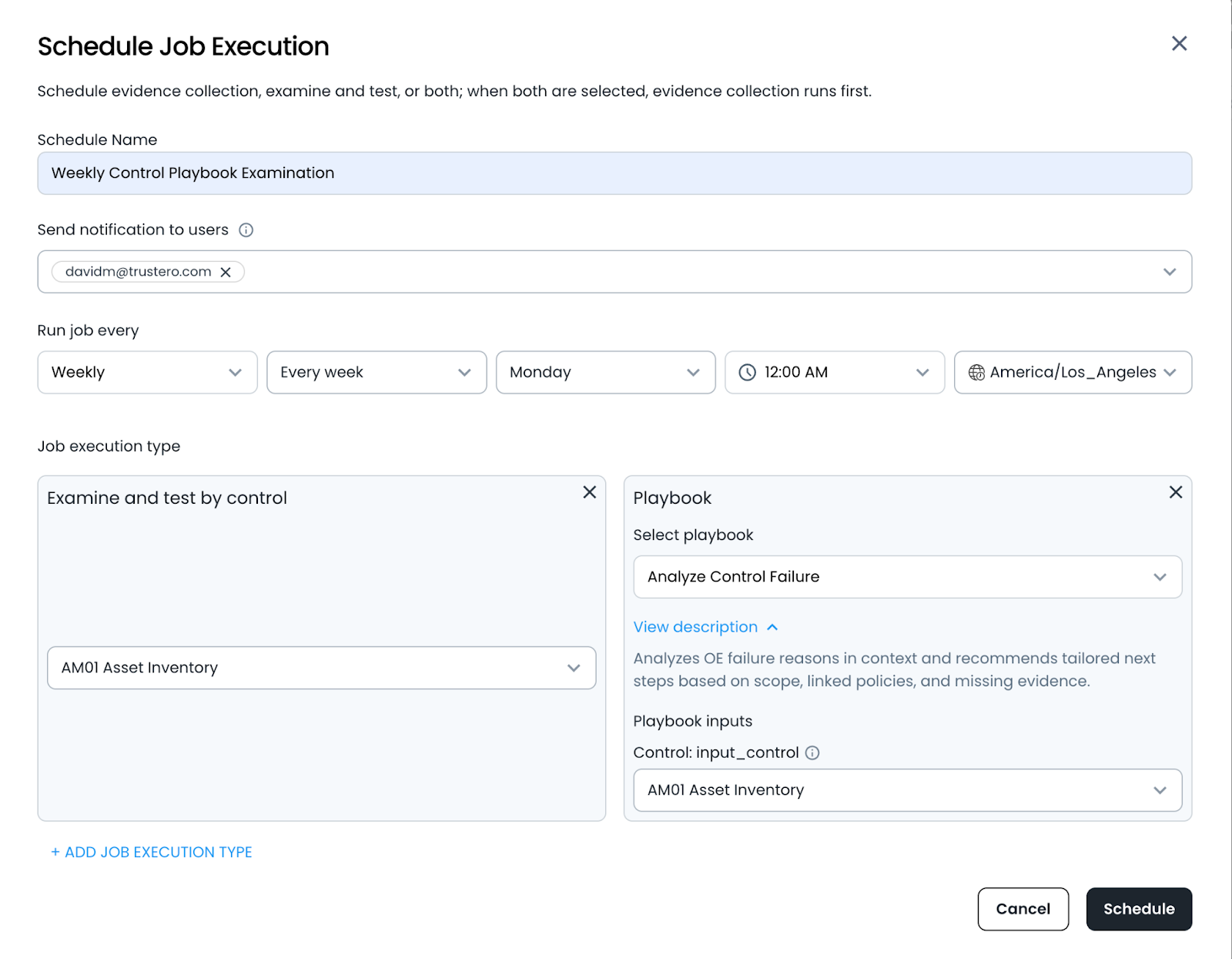
Playbooks can also be scheduled to run automatically at a defined interval.
When a scheduled playbook runs, Trustero executes the analysis and sends a summary report notification to selected users.
If the playbook requires input parameters—such as selecting a specific control or dataset—those parameters can be defined when the schedule is created.
Custom playbooks allow organizations to build reusable AI analyses tailored to their compliance workflows. By combining flexible prompt design, structured inputs, and scheduled execution, teams can automate recurring GRC evaluations and generate consistent reports across their compliance program.
With Trustero Intelligence playbooks, teams can transform one-off AI queries into repeatable processes that continuously analyze policies, controls, risks, and evidence across the platform.
Try it Today
The new Trustero Custom Playbook feature is available today. Log into your Trustero account to explore the capabilities of multi-agent GRC.