

Evidence Management: AI-Powered Evidence-to-Control Mapping
This release introduces AI-powered Evidence-to-Control mapping, a new capability that automatically suggests which evidence items support specific compliance controls.
As evidence is uploaded to the Trustero repository, either manually or through automated evidence integrations, Trustero Intelligence performs semantic analysis on both the evidence content and the control objectives and test procedures defined in your compliance framework. This analysis allows the platform to identify evidence that may satisfy the requirements of specific controls and generate mapping suggestions automatically.
The system continuously analyzes your evidence repository and control definitions to build a cross-reference matrix between evidence and controls. As new evidence is added or existing evidence is updated, this matrix is refreshed to surface new mapping opportunities.
In addition, when controls are examined and evidence gaps are identified, Trustero performs a secondary analysis across your repository to locate evidence that may satisfy the language of the control test procedure. This helps surface previously collected documentation that may already meet compliance requirements.
You will see Evidence-to-Control mapping suggestions across the product wherever evidence and controls are displayed. New Suggested Controls and Suggested Evidence tabs have been added to key pages, including:
- Evidence list pages
- Control list pages
- Evidence detail pages
- Control detail pages
- Receptor and folder scan detail pages
These views allow you to quickly review AI-generated suggestions and accept them with a single click.
Evidence List Page: Suggested Controls
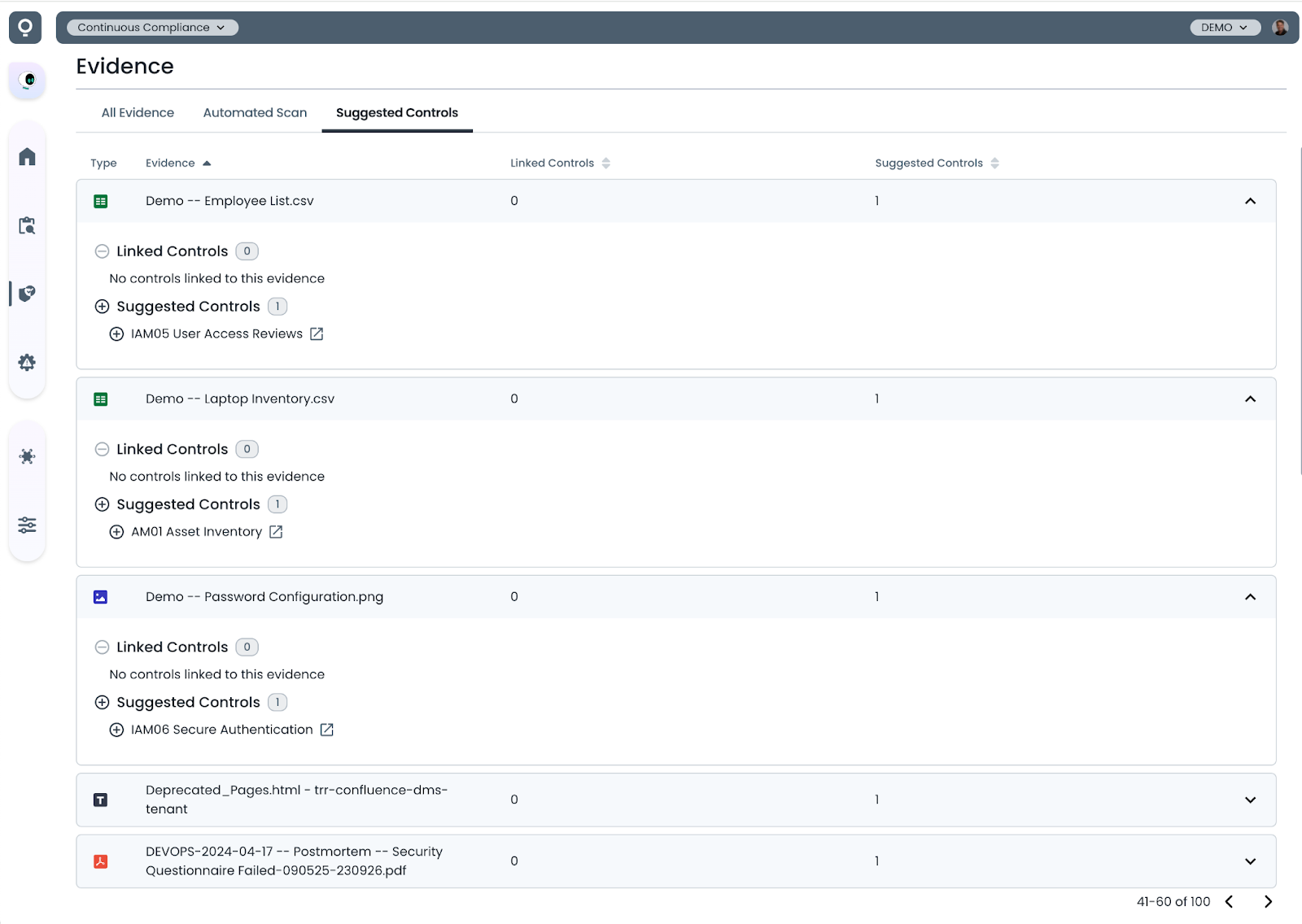
To view suggested control mappings for evidence in your repository, navigate to the Suggested Controls tab on the Evidence list page.
This view provides a summary of mapping suggestions across all evidence items. Each entry can be expanded to show the controls that Trustero Intelligence has identified as potential matches.
To accept a suggestion, simply click the plus icon next to the control to map the evidence.
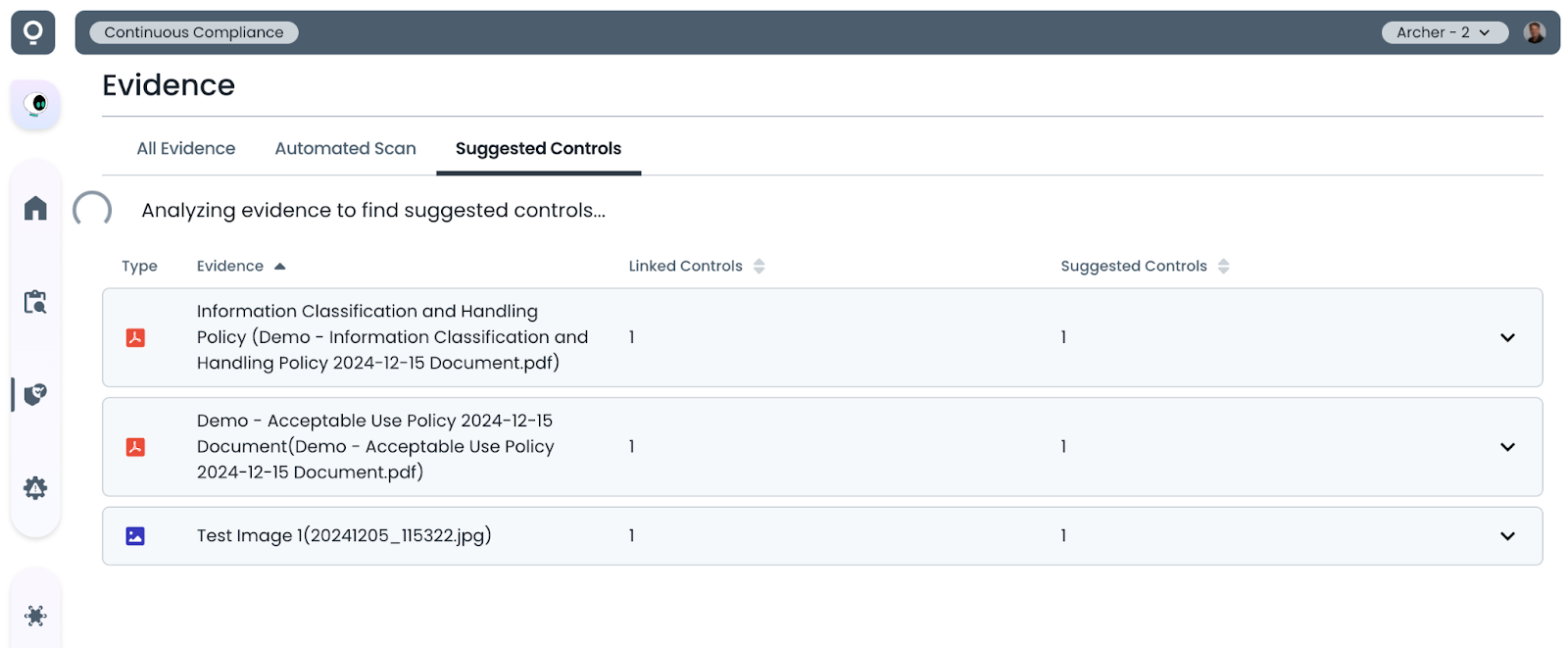
Note that you may occasionally see a loading indicator when opening a suggestion tab shortly after new evidence is uploaded to the repository. This indicates that the semantic analysis is still being performed and the evidence-to-control cross-reference matrix is being updated.
Control List Page: Suggested Evidence
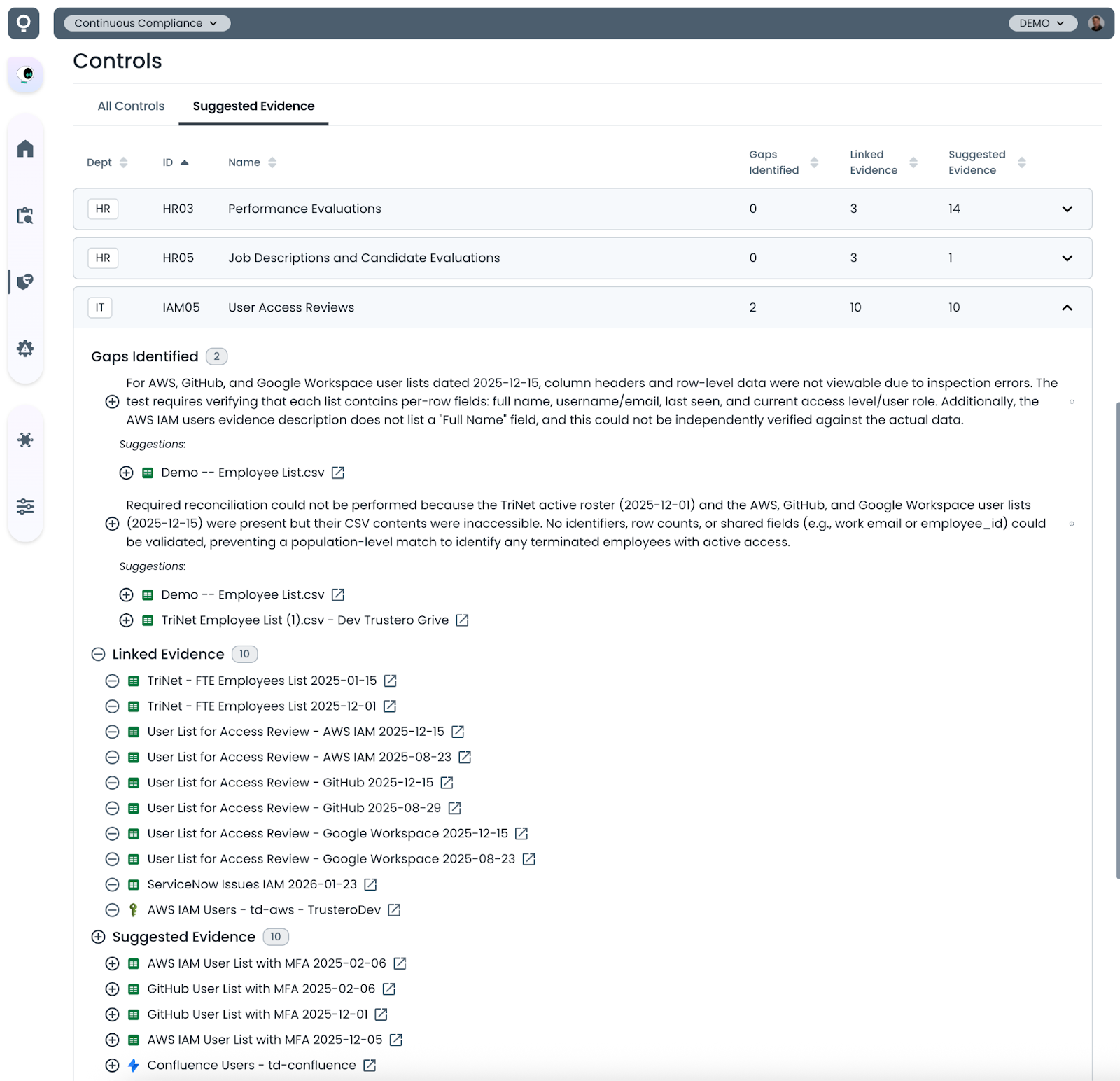
To view suggested evidence mappings for controls in your repository, navigate to the Suggested Evidence tab on the Control list page.
This view provides a summary of evidence suggestions across all controls. Each entry can be expanded to show the evidence that Trustero Intelligence has identified as potential matches.
If the most recent operational effectiveness check for a control has identified missing or incomplete evidence gaps, additional mapping suggestions may be displayed to help satisfy those requirements.
To accept a suggestion, simply click the plus icon next to the evidence to map it to the control.
Evidence Detail Page: Suggested Controls
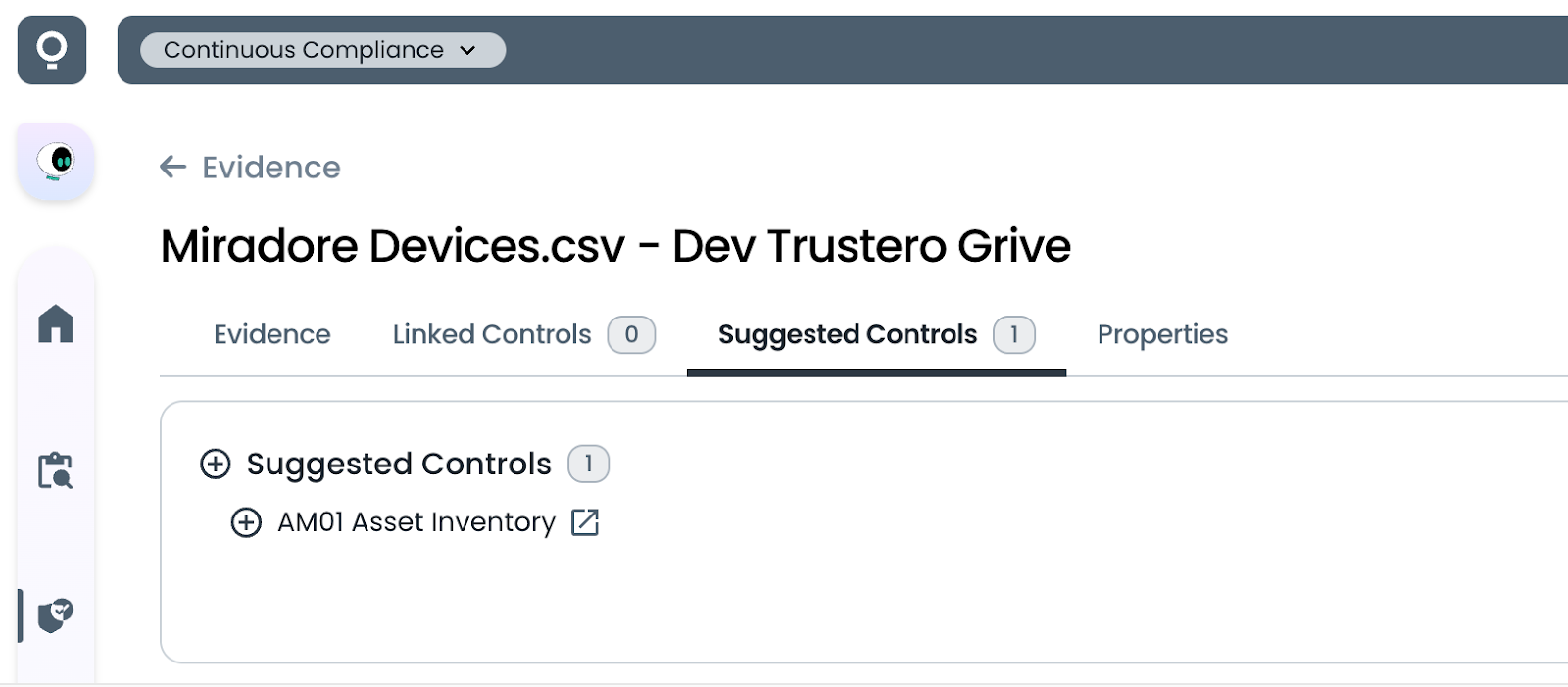
To view suggested control mappings for a specific evidence item, navigate to the Suggested Controls tab on any Evidence detail page.
This view shows the controls that Trustero Intelligence has identified as potential matches for the selected evidence item.
To accept a suggestion, simply click the plus icon next to the control to create the mapping.
Control Detail Page: Suggested Evidence
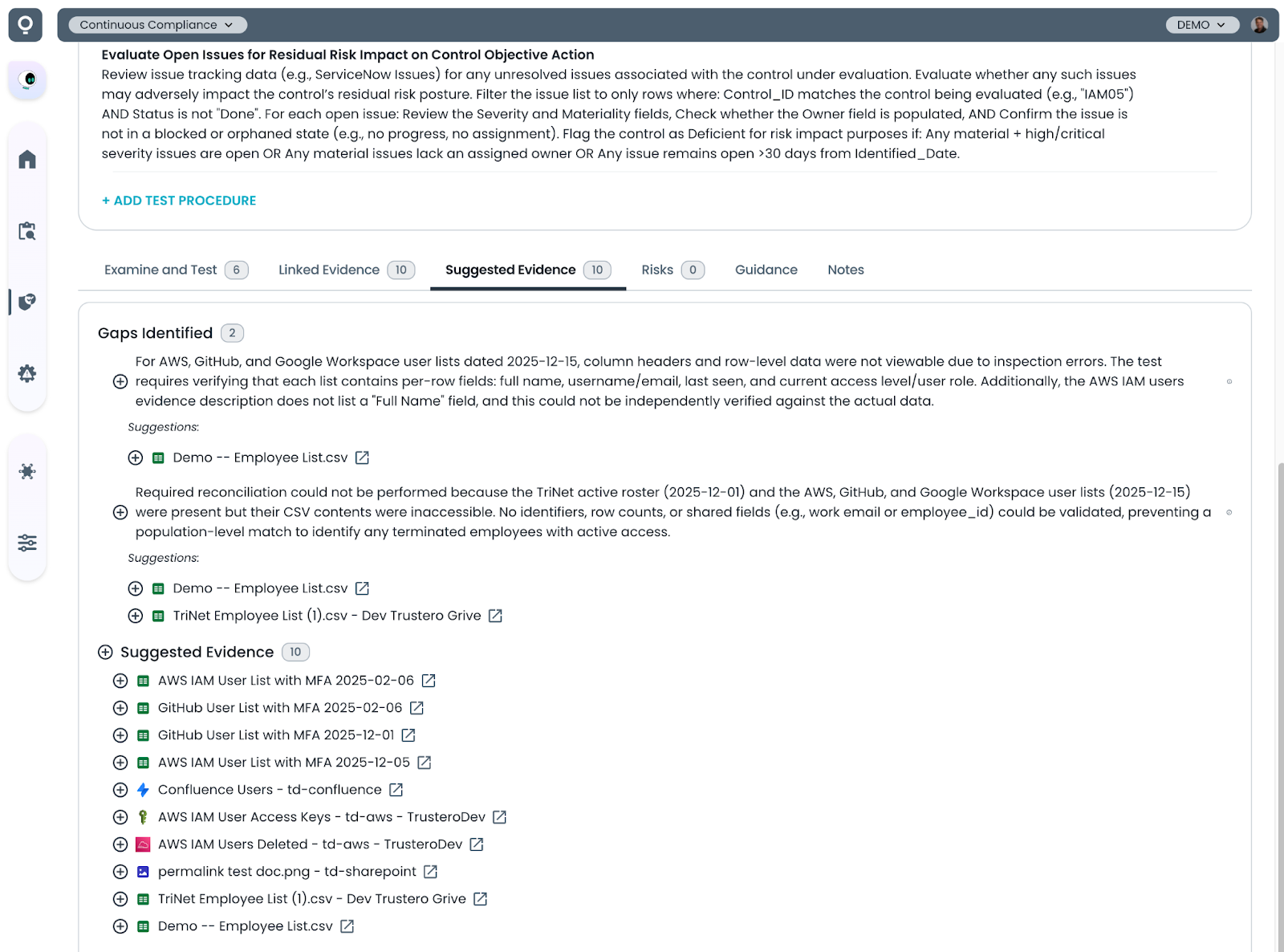
To view suggested evidence mappings for a specific control, navigate to the Suggested Evidence tab on the Control detail page.
If the most recent operational effectiveness check for the control has identified missing evidence gaps or recommendations, Trustero Intelligence will surface evidence that may satisfy those requirements.
To accept a suggestion, simply click the plus icon next to the control to create the mapping.
Receptor Detail Page: Suggested Evidence
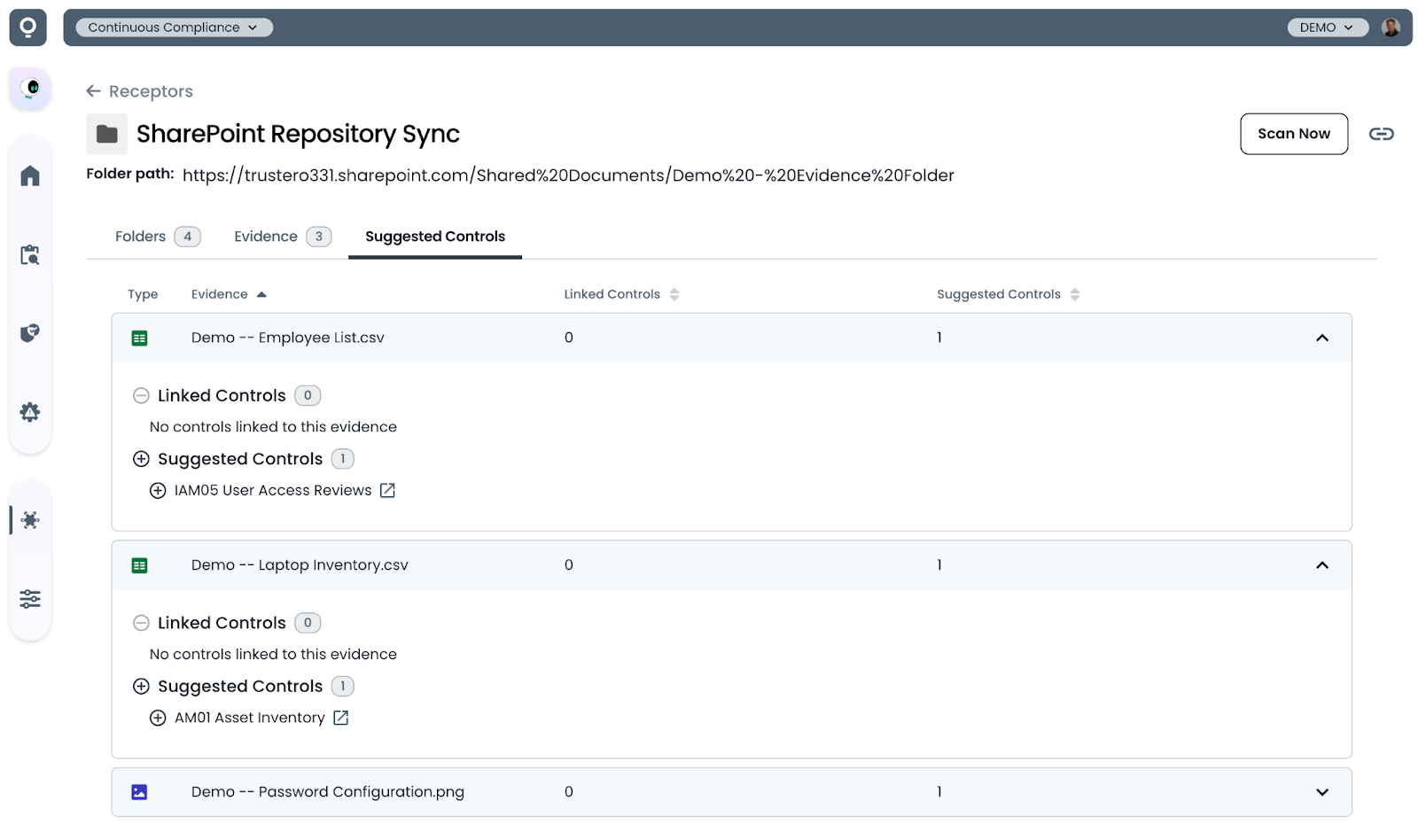
To view suggested control mappings for evidence collected by a specific receptor or folder scan, navigate to Integrations → Receptors and select the receptor or scan you want to review.
From the receptor detail page, open the Control Mapping Suggestions tab to view suggested mappings for the evidence collected through that integration.
To accept a suggestion, simply click the plus icon next to the control to create the mapping.
AI-powered Evidence-to-Control mapping helps teams quickly identify which documentation supports their compliance controls. By continuously analyzing both evidence and control requirements, Trustero surfaces mapping opportunities across your repository and highlights evidence that may already satisfy control test procedures.
These suggestions reduce the manual effort required to organize compliance evidence while helping teams uncover documentation that might otherwise be overlooked. With a single click, suggested mappings can be accepted and incorporated into your control evaluations, making it easier to maintain complete and audit-ready evidence coverage.
Try it Today
The new Trustero AI-powered Evidence-to-Control mapping feature is available today. Log into your Trustero account to explore the capabilities of multi-agent GRC.