Your Compliance Posture. Not Just Shared. Explored and analyzed with Trustero AI
Trustero Intelligence for Visitors
Approved visitors can ask Trustero Intelligence anything about your published compliance content - and get immediate, accurate, sourced answers.
Controlled Document Access
Three permission levels - Public, Confidential, and Restricted - with self-service NDA handling, email validation, and watermarking built in.
Complete Engagement Visibility
Track every document download, search, update subscription, TI session, and question asked - so you always know who is actively evaluating your security posture.
Don't Just Share a Document. Answer the Questions Behind It.
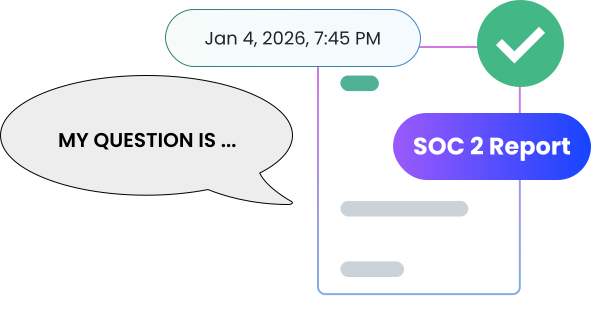
A static SOC 2 report answers what your auditor certified. Trustero Intelligence on your Trust Portal answers what your customer actually wants to know - instantly, accurately, and without involving your team.
Faster Security Reviews
Visitors who can ask Trustero Intelligence specific questions about your controls, policies, and certifications complete their security reviews faster - and with fewer follow-up requests to your team.
No Manual NDA Handling
Confidential documents are gated behind a self-service NDA flow with email validation. Restricted documents require your approval. Either way, your team isn't chasing signatures.
One Link for Every Stakeholder
Replace one-off email attachments and shared drive links with a single, permanent, branded destination. Every stakeholder gets to the same place, with the right level of access.
Engagement That Informs the Sales Process
Visitor analytics show you exactly which organizations are downloading documents, asking questions, and engaging with your compliance content - before they ask for a meeting.
TRUSTERO INTELLIGENCE FOR VISITORS
Let Visitors Ask. Get Answers From Your Actual Compliance Program.
When a prospect or customer wants to understand your security posture, a static document only goes so far. They want to know whether your encryption policy covers their specific use case, how your access controls handle their industry's requirements, or what happened in the one exception noted in your SOC 2 report. Today, those questions come to your team as emails and calls.
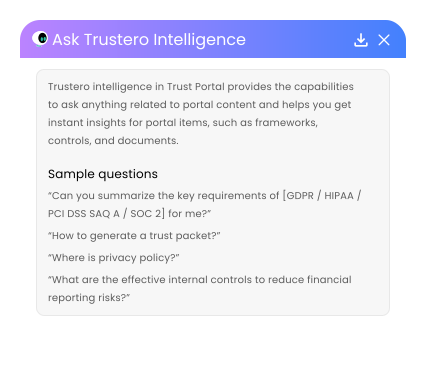
With Trustero Intelligence enabled on your Trust Portal, approved visitors can ask those questions directly - and get immediate, sourced answers grounded in everything (and only what!) you've published: your documents, security updates, FAQs, and control summaries. The AI semantically searches and analyzes the content on the fly, so visitors aren't just reading - they're getting the specific information they need.
You control who gets access. Visitors submit a TI access request, accept the NDA, and receive a set number of question credits. If they need more, they can request additional credits - which you approve individually. Every question asked is logged and visible in your analytics dashboard.
DOCUMENTS AND ACCESS CONTROL
Every Document at the Right Level of Access.
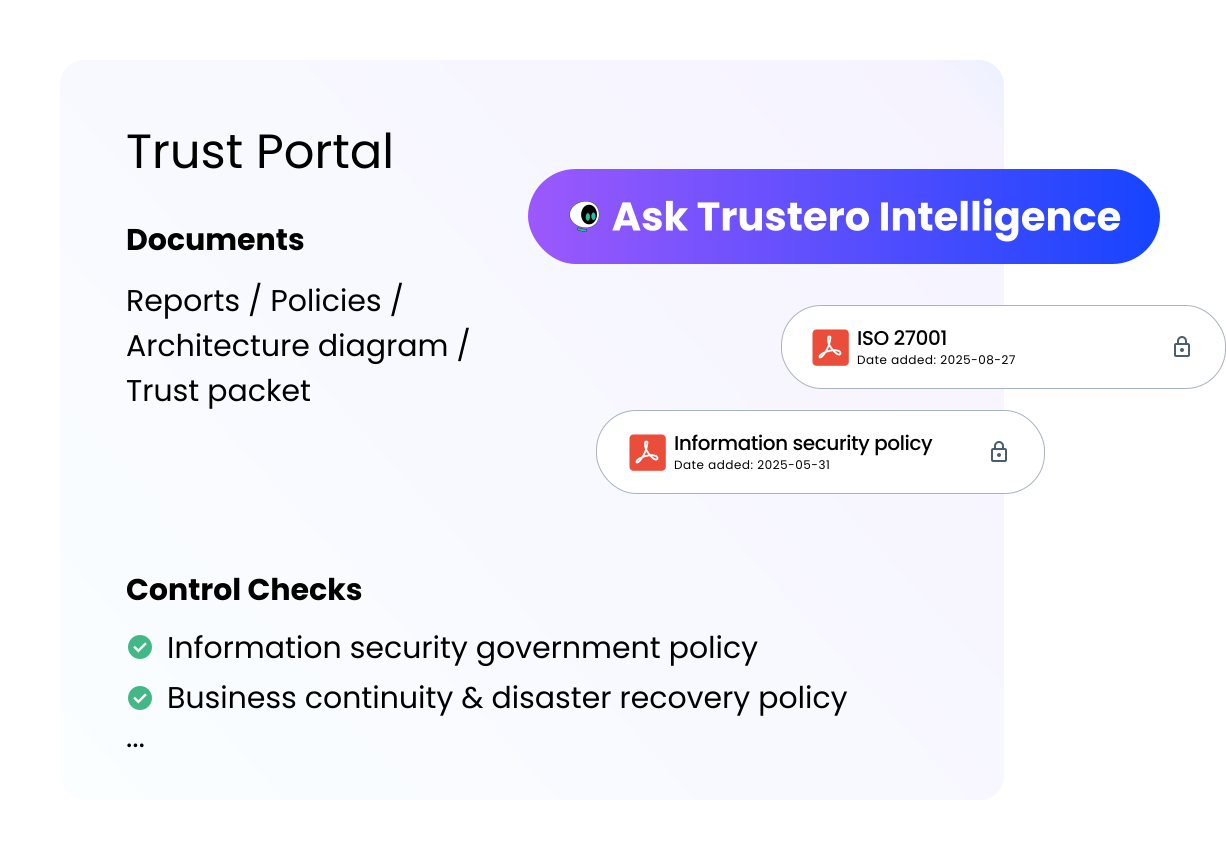
Trust Portal is your organization's compliance hub - branded with your logo, background, and company summary, displaying the framework certifications your stakeholders look for first.
Every document you publish carries one of three permission levels. Public documents are available to anyone who visits. Confidential documents require the visitor to validate their email and accept your NDA - entirely self-service, no approval required on your end, and watermarked with the visitor's company name on download. Restricted documents add one more step: the visitor requests access, your approver grants or denies it, and the downloaded document is watermarked.
All confidential documents are unlocked with a single NDA acceptance. All restricted documents are unlocked with a single approval - so visitors aren't submitting a separate request for each file.
Beyond individual documents, you can also publish bundled exports directly from Trustero - all selected policies or control summaries compiled into a single PDF - so what's on the portal always reflects your live program.
UPDATES, FAQS, AND ENGAGEMENT ANALYTICS
Keep Stakeholders Informed. Know When They're Paying Attention.
Trust Portal is more than a document library. You can publish security updates - new certifications, completed control improvements, policy changes - organized by category, with visitors subscribing to email notifications for the categories they care about. FAQs give visitors immediate answers to the questions your team fields most often. And if Trustero Intelligence is enabled, visitors can use AI to search and ask questions across all of this content - documents, updates, and FAQs together.
On the back end, every interaction is tracked. The visitor analytics dashboard shows you access requests, granted permissions, documents downloaded, FAQs viewed, searches performed, update subscriptions, TI sessions, and the exact text of every question asked. Daily summaries and detailed logs are available for any time range.
This isn't just compliance overhead - it's a real-time signal of which organizations are actively evaluating your security posture and how deep their engagement goes.
How Security and Compliance Teams Use Trust Portal Every Day
Replace the Security Review Email Thread
Send one link. Visitors download what's public, sign the NDA for confidential files, request restricted access, and ask Trustero Intelligence their follow-up questions - without your team getting involved.
Keep Customers Informed Without Manual Outreach
Publish a security update when you achieve a new certification or complete a meaningful control improvement. Subscribed stakeholders are notified automatically, by category.
Turn Compliance Engagement Into a Sales Signal
Analytics show which organizations are downloading documents, asking TI questions, and subscribing to updates - before they've asked for a meeting. That signal belongs in your sales process.
How Security and Compliance Teams Use Trust Portal Every Day
Scenario:
A prospective enterprise customer is mid-evaluation and has specific questions about data residency, encryption standards, and subprocessor controls - none of which are spelled out in the SOC 2 summary. Instead of scheduling a call, the account executive sends a Trust Portal link. The prospect downloads the public certifications, signs the self-service NDA to access the full SOC 2 report and additional published artifacts, and then opens Trustero Intelligence to ask their specific questions. They get immediate, sourced and referenced answers from the published documents and control descriptions. They may not even need the meeting anymore.
Scenario:
The compliance team has just completed a significant infrastructure change that affects several security controls. They publish a security update to the Trust Portal, categorized under Infrastructure Security. Every customer who subscribed to that category receives an email notification immediately - no manual outreach, no blast email to compose. Several customers click through to the portal to learn more. One opens Trustero Intelligence and asks specifically how the change affects the data isolation controls described in the SOC 2 report. They get an immediate, sourced answer drawn from the published update and the relevant control documentation - without contacting the compliance team.
Scenario:
A prospective enterprise customer was sent the Trust Portal link two weeks ago. The analytics dashboard shows that four people from the organization have visited, downloaded the SOC 2 and ISO 27001 certificate, and collectively asked eleven questions via Trustero Intelligence - focusing on access control procedures and incident response. The CISO shares this engagement summary with the account team. The sales team uses it to tailor the next conversation directly to the prospect's documented concerns - and closes faster.